Desktop bot · beta

Aleph Edge

Before you trade, see today's market, the measured history of each bot model, the news we read and what followed it, and new exchange listings from the exchanges' own announcements.

Version 0.3.22 · 3 Nov 2026 · Windows 10/11, 64-bit · 18 MB · macOS not released yet

Aleph Edge 0.3.22 runs Pine-lite scripts as a bot: script triggers become Buy, Sell or Close orders on closed bars, Paper or Live on Binance USDT-M futures.

Try a script on Pine-liteGitHub

Version
0.3.22beta, 3 Nov 2026
Orders
Paper or Livechosen per bot; Live on Binance USDT-M futures
Bot types
7Futures, Spot, Pump, TradingView, Pine, DCA, Grid
Platform
WindowsmacOS planned · Tauri 2, Rust, React

What it is

Aleph Edge runs trading bots on your own computer. Its signal bots follow Sentinel's signal stream; its DCA and Grid bots trade on their own rules, from 12 tested templates or your own settings. Every bot runs inside the risk limits you set, and every skipped signal is listed with its reason.

Every bot starts on Paper: its positions are simulated against live exchange prices, fees included. A bot you switch to Live sends real orders on Binance USDT-M futures. For Paper an exchange API key is optional: with one you see your real account and can close positions there. Keys stay in an encrypted vault on your machine.

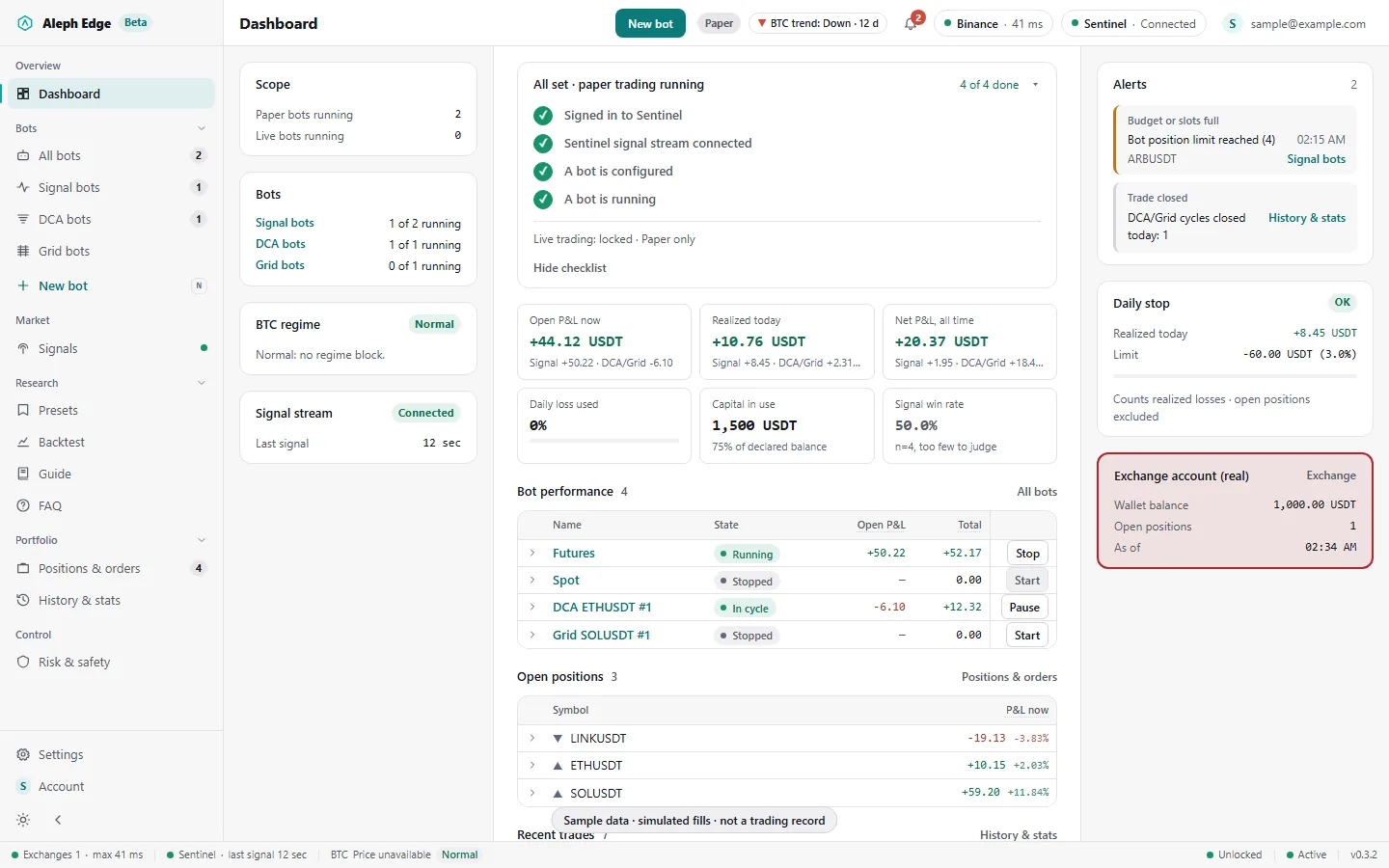
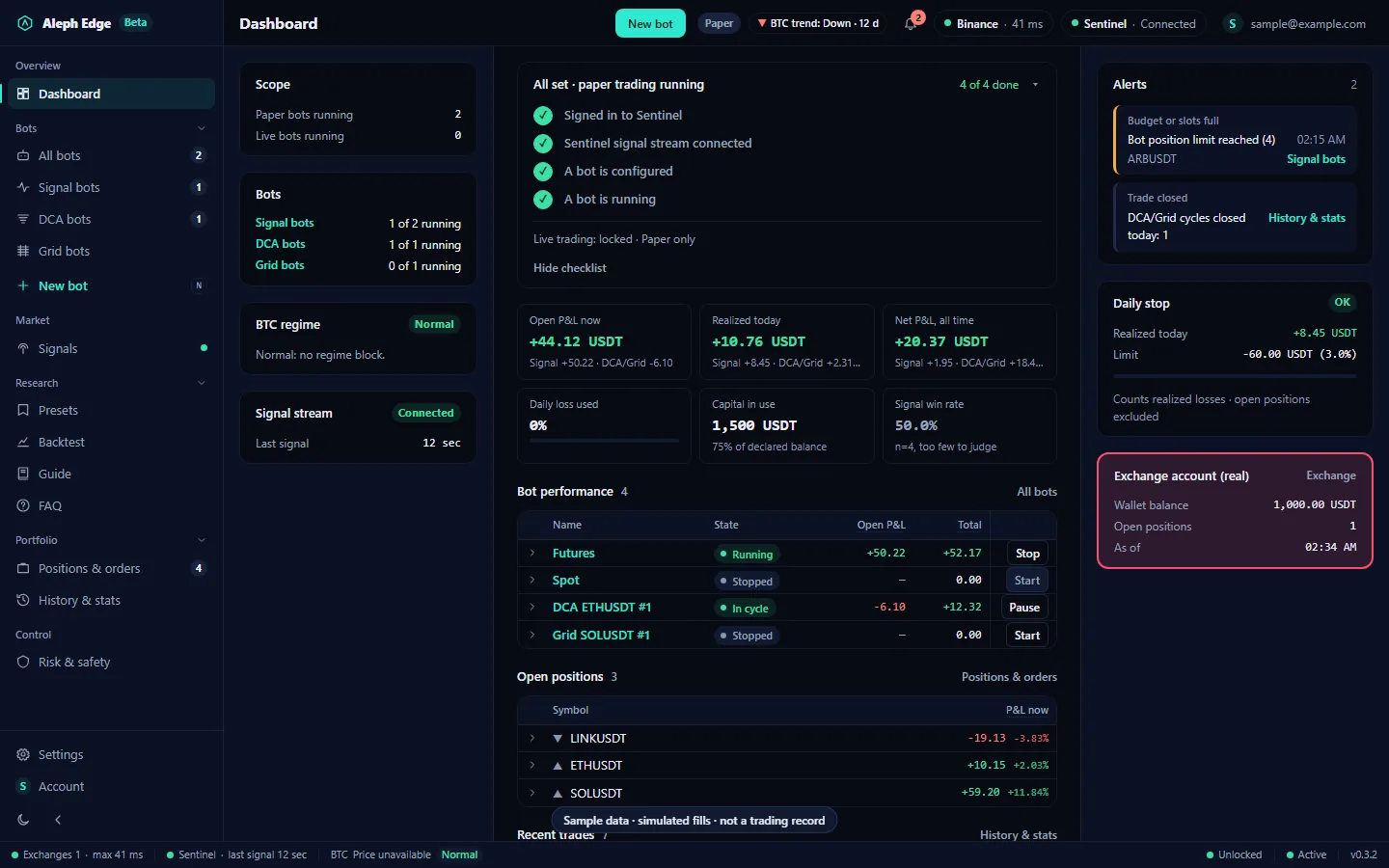
Aleph Edge dashboard with the setup checklist, P&L tiles, configured bots and alerts.
Dashboard, sample data

Install and first run

5 steps

  1. 1Download the installerAleph Edge_0.3.22_x64-setup.exe, about 18 MB. It installs for your Windows user only, so no administrator rights are needed.
  2. 2Get past SmartScreenThe installer is not code-signed yet, so Windows shows "Windows protected your PC". Choose More info, then Run anyway. Updates after this are signed and checked by the app itself.
  3. 3Sign in with your ribqa.com accountThe same account as this site. During the open beta every account can use the app. No account yet? Create one on ribqa.com first.
  4. 4Pick a risk levelOn Risk & safety, set your simulated balance and one of five risk levels. Every limit in the app is derived from these two.
  5. 5Start a bot on paperFollow Sentinel signals with a signal bot, or start a DCA or Grid bot from a template. No exchange key is needed for paper trading. Live is a separate choice per bot.
Already on 0.2.0 or later? The app offers 0.3.22 by itself: Settings, About, Install and restart. Running bots and positions are restored after the restart; a Live bot comes back stopped until you type LIVE again.SHA-256 ba05ce278d731114f0015856cd1fea45ca6c39f218e6c31aa0593b35aeeb1fdf

User guide

18 screens

Sample dataEvery number in these screenshots is invented for the picture. Fills are simulated. None of it is a trading record. The full FAQ for every menu is built into the app.

Get set up

01Dashboard

The first screen. A checklist tracks setup: signed in, signal stream connected, a bot configured, a bot running. Below it, every bot with what it has open, its open P&L, what it has realized and its total, so you can see which bots are up and which are down.

  • Open P&L now: what closing everything open would book at the last price, fees included
  • Realized today and net P&L include DCA and Grid cycles after fees and funding
  • Daily loss used counts realized signal-bot losses against your daily stop
  • Signal win rate says "too few to judge" under 30 closed trades
  • The Paper label in the header turns into Paper + Live only when a bot trades real money
Aleph Edge dashboard with the setup checklist, P&L tiles, the bot performance table with open, realized and total P&L, open positions and alerts.

02Risk & safety

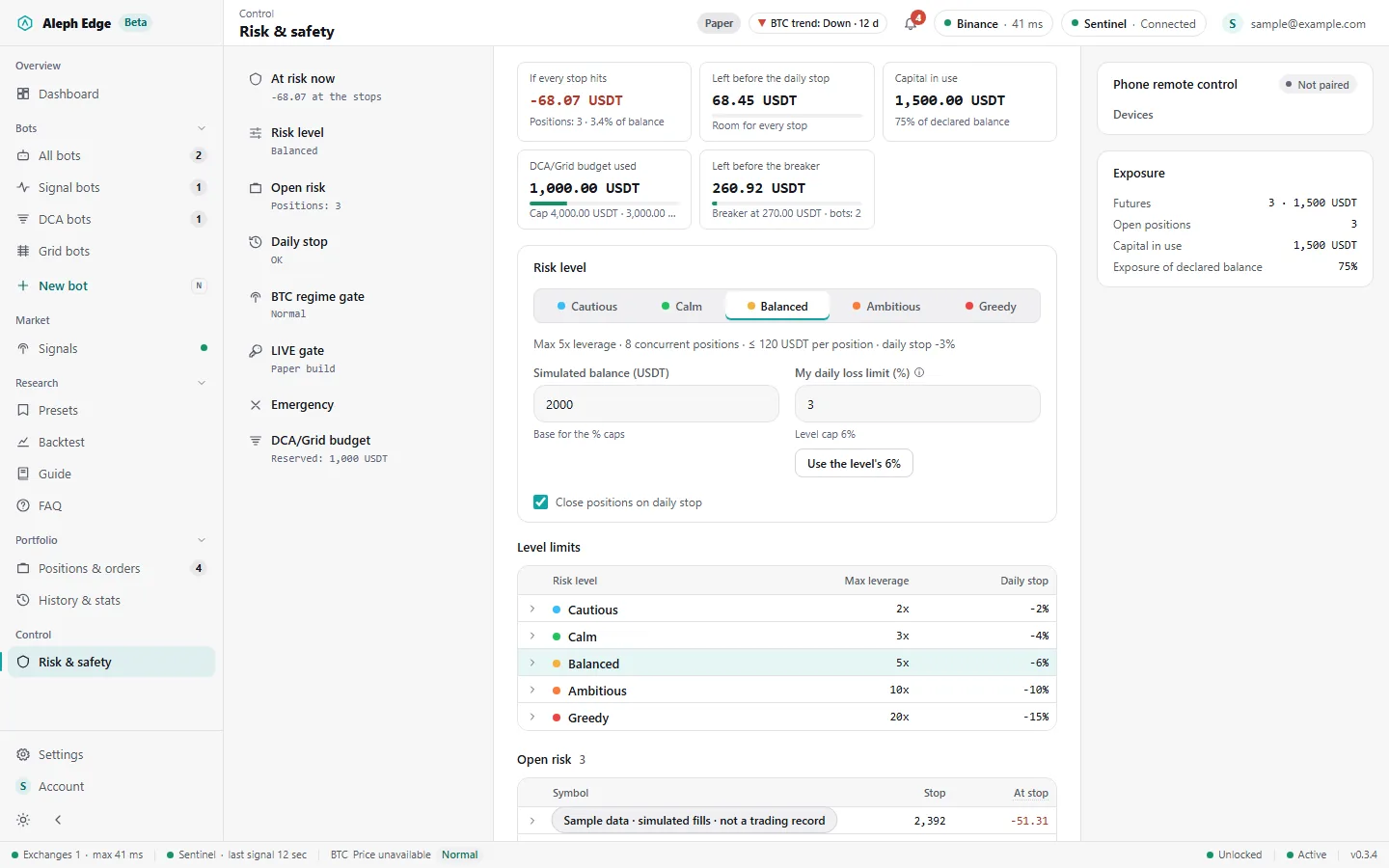
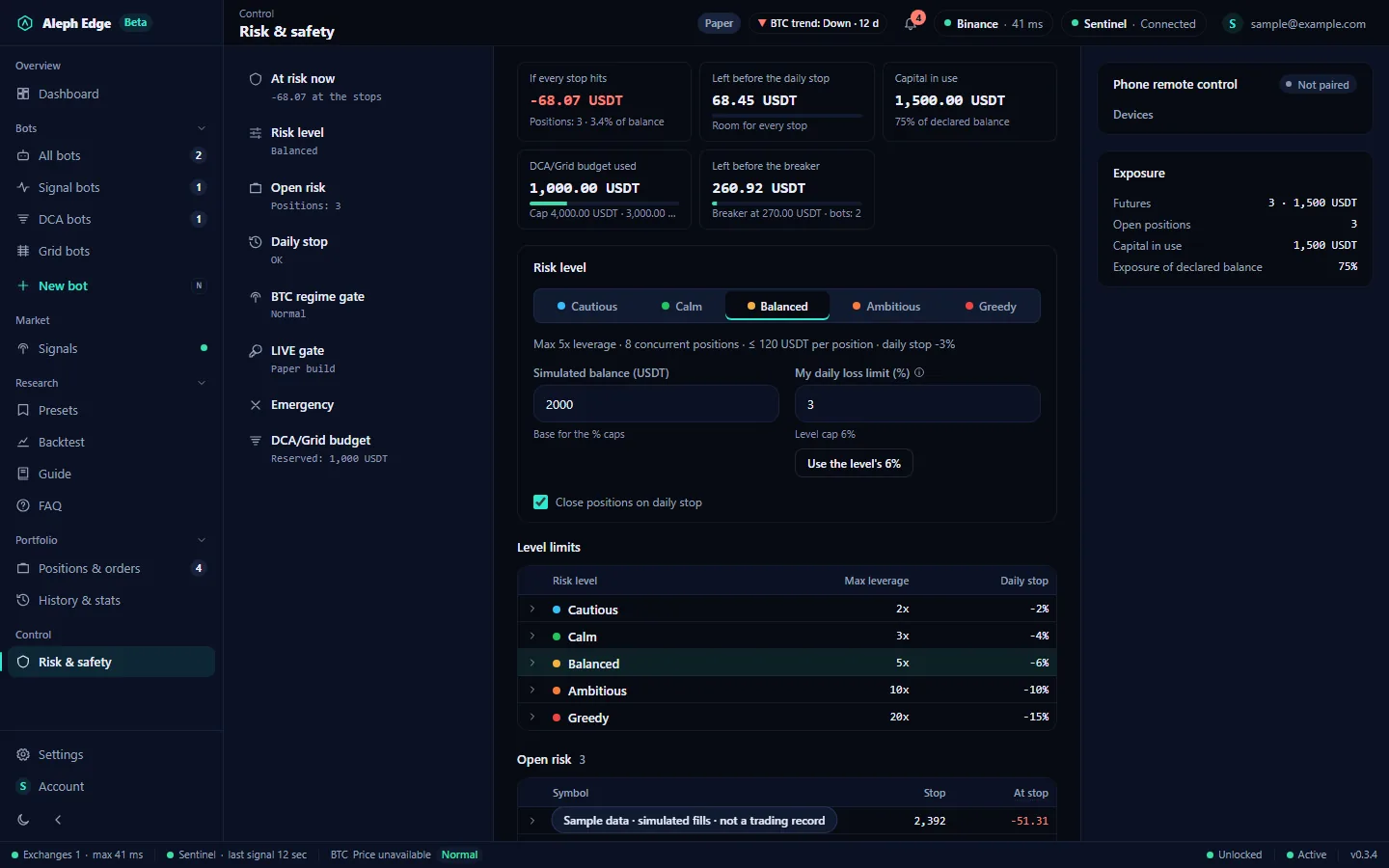
Your simulated balance and a risk level set every limit: leverage, positions, capital per position, the daily stop and the DCA/Grid budget. At the top, what every stop hitting would book now and how much room is left before the daily stop and the DCA/Grid breaker; below, each open position with its stop and what it would book there.

  • The daily stop room is the limit plus today's net result: a gain made today adds to it
  • The position limit applies to each signal bot separately: Spot, Futures and Pump
  • You can set a stricter daily loss limit than the level's, never a looser one
  • Greedy asks you to confirm the risk before it applies
Risk & safety page with the risk-at-a-glance tiles, the sections list with each section's state, and the risk level selector.

Follow Sentinel signals

03Signals

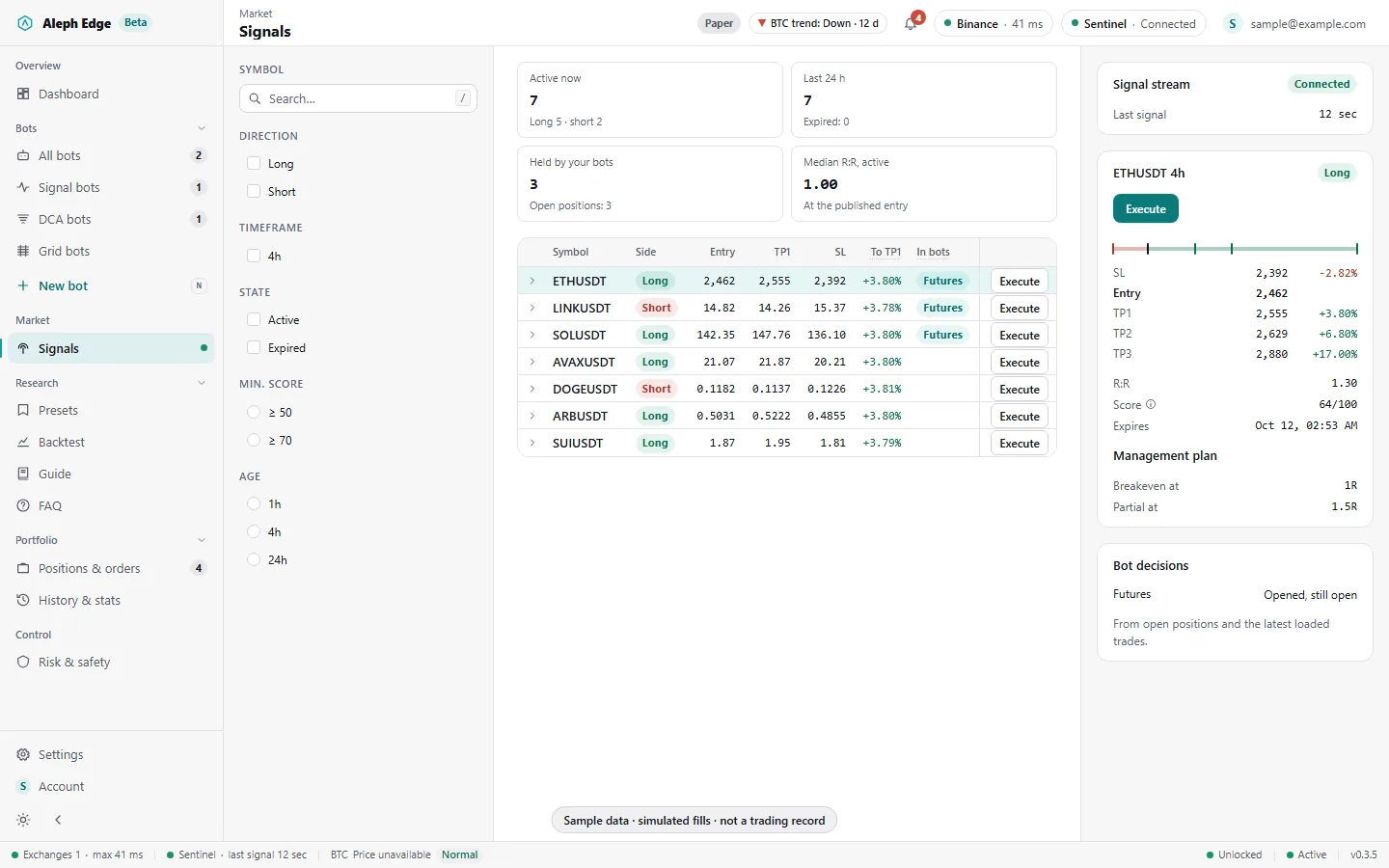
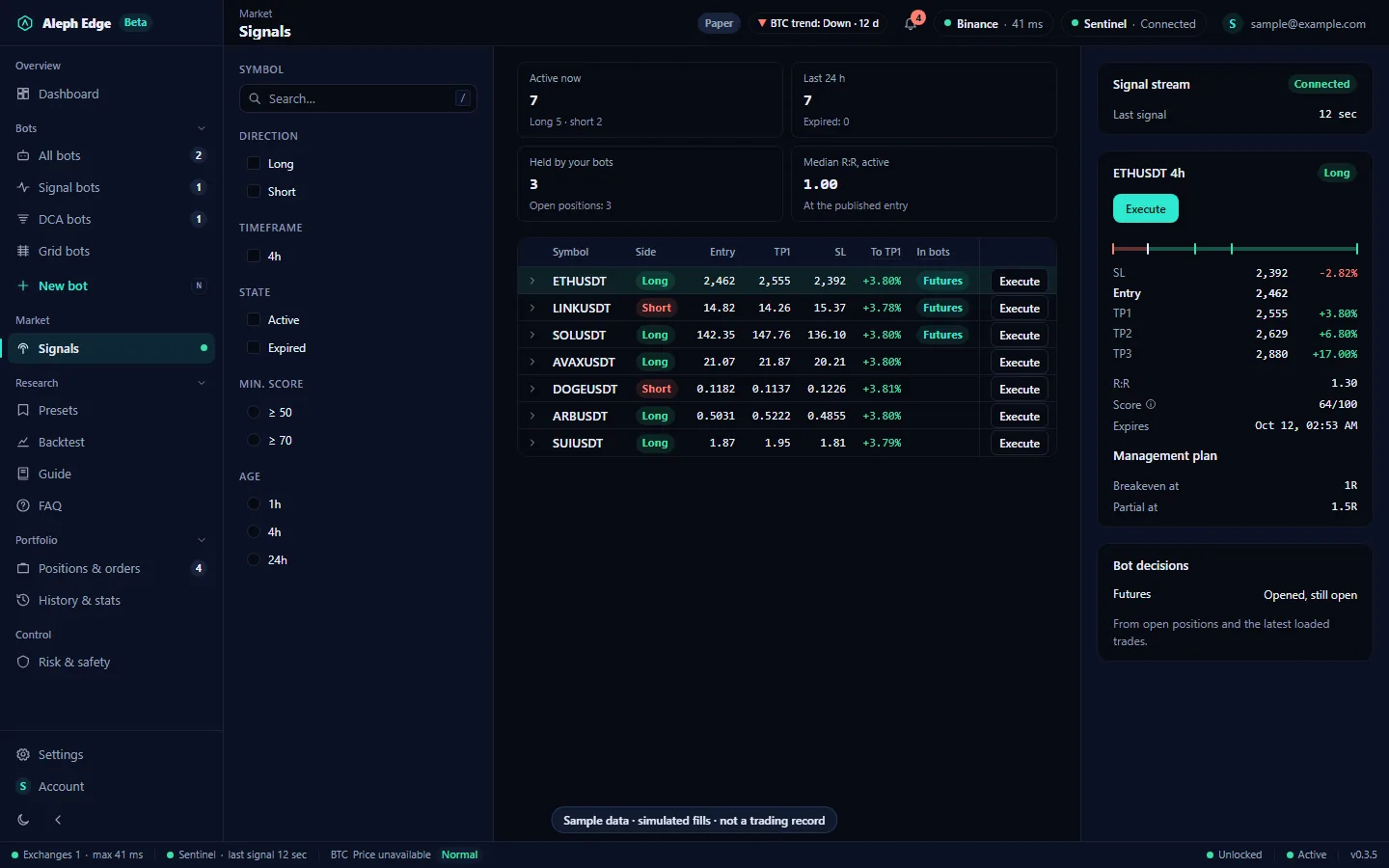
Sentinel's published signals as a table: entry, three targets, stop, the move to TP1 and to the stop from the published entry, reward to risk, score and age. At the top: active signals, the last 24 hours, the signals your bots hold and the median reward to risk. The right panel shows the selected signal's stop, entry and targets on one scale and what your bots did with it.

  • Each row shows which of your bots hold that signal now
  • The score is Sentinel's 0 to 100 rating, not a probability
  • Sentinel publishes long signals only since 8 Oct 2026
Signals page with the feed summary tiles, the signal table with the move to TP1, the bots holding each signal and an Execute button on every row, and the selected signal's levels on one scale on the right.

04Execute a signal

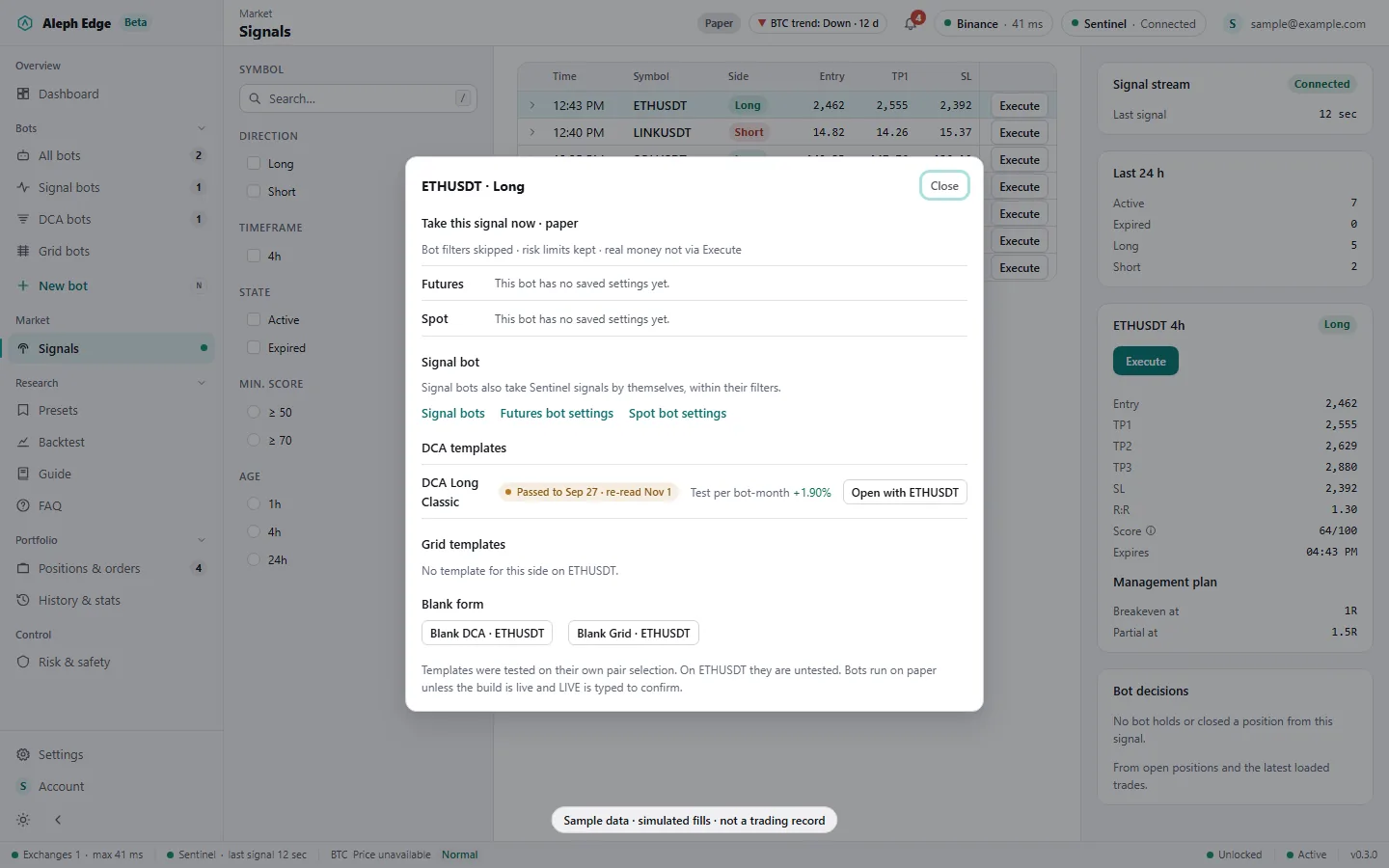
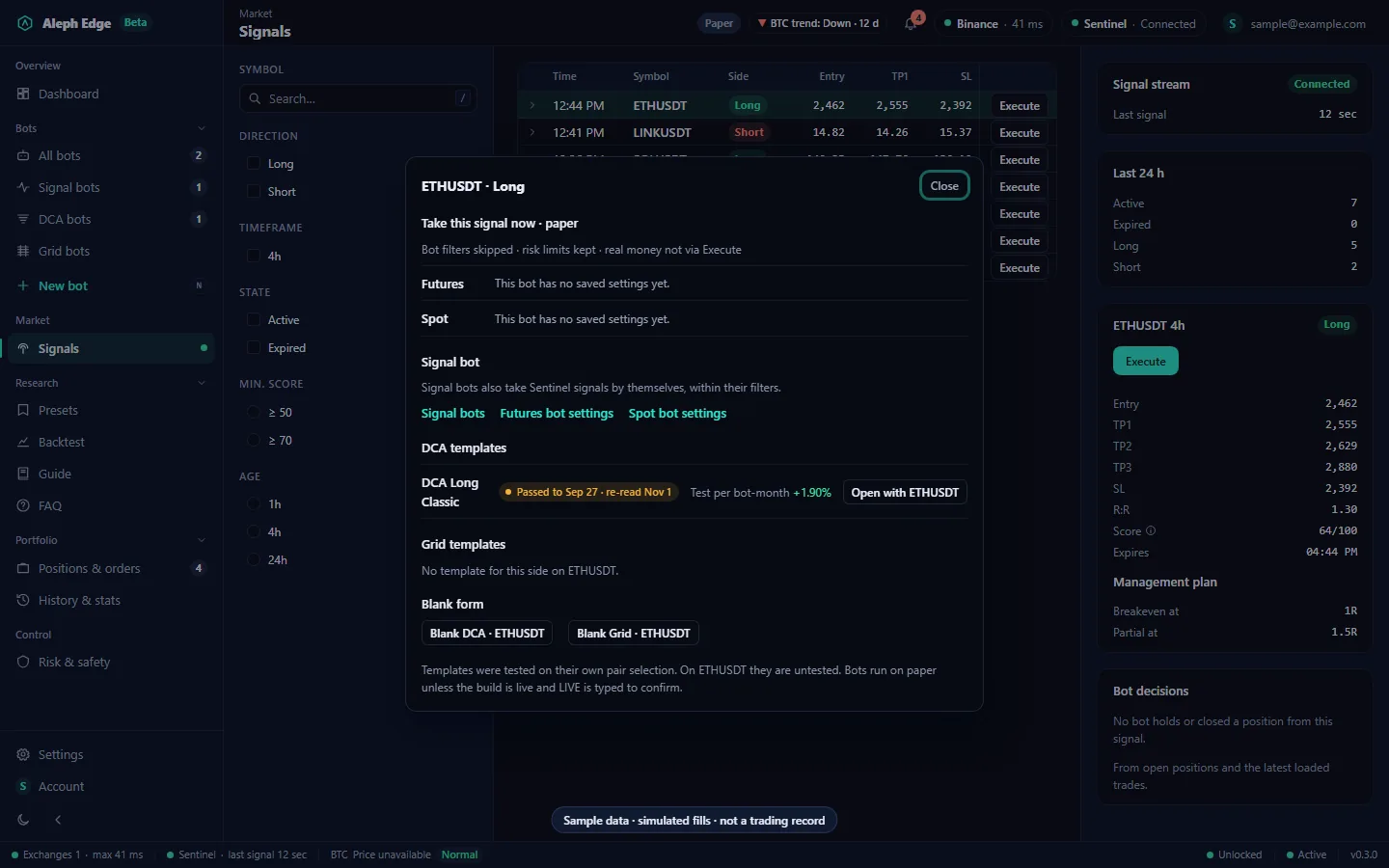
Execute opens every way to act on one signal. Take this signal now opens it as a paper position on a fitting signal bot at the current price, while the price is still between the stop and the target. Templates and a blank DCA or Grid form open with the signal's pair filled in.

  • Before you confirm: fill price, reward to risk at that price next to the published one, size, and the loss and gain with fees
  • The bot's filters are skipped; its risk limits still apply
  • Paper only. Real money never goes through Execute
Execute dialog for ETHUSDT long: take the signal now on paper, signal bot links, the DCA Long Classic template, and blank DCA and Grid forms.

05Signal bots

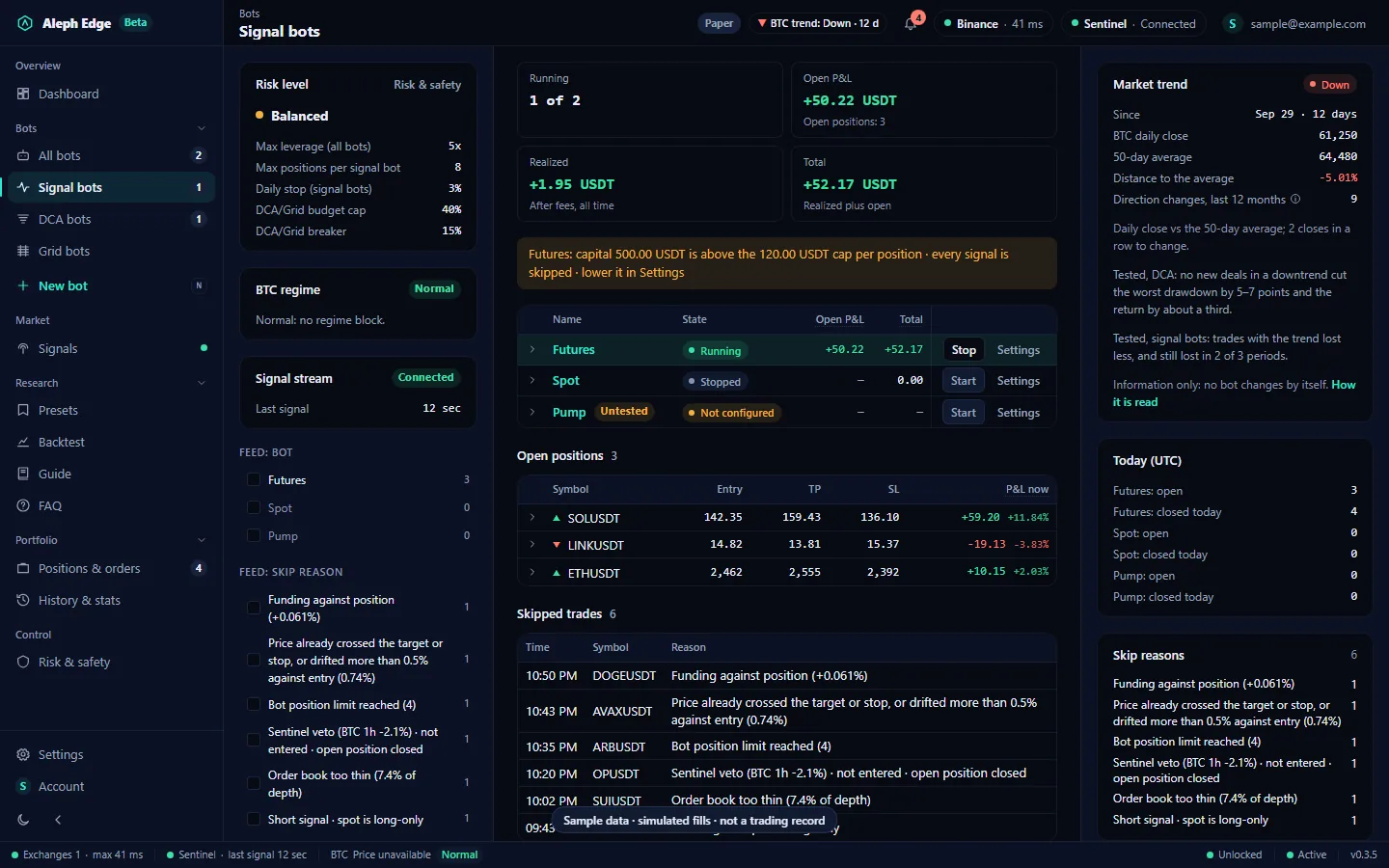
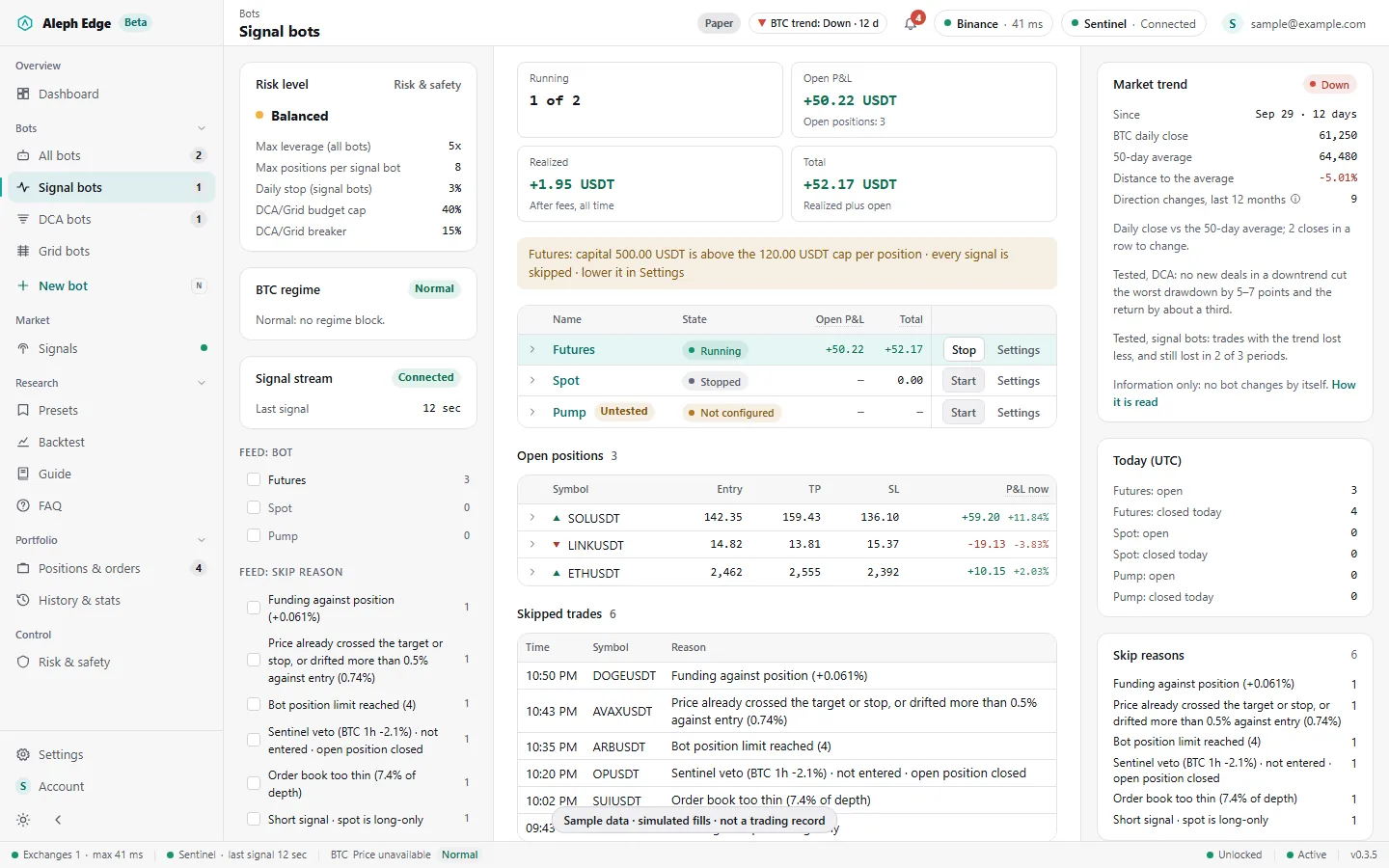
Three bots follow the signal stream by themselves: Futures, Spot (long only) and Pump. The page opens with how many run and their open P&L, realized and total together; the table shows the same per bot; each open position shows its last price, P&L now and where the price sits between the stop and the target. Every skipped signal is listed with the reason.

  • Skip reasons include funding against the position, entry drift, a thin order book, a Sentinel veto and a full position limit
  • A Sentinel veto on a signal a bot holds closes that position
  • While Sentinel declares a BTC break, new longs are refused
Signal bots page with the running, open P&L, realized and total tiles, the Futures, Spot and Pump bots and their P&L, open positions with price, P&L now and the stop-to-target bar, and skipped trades with reasons.

06A signal bot's settings

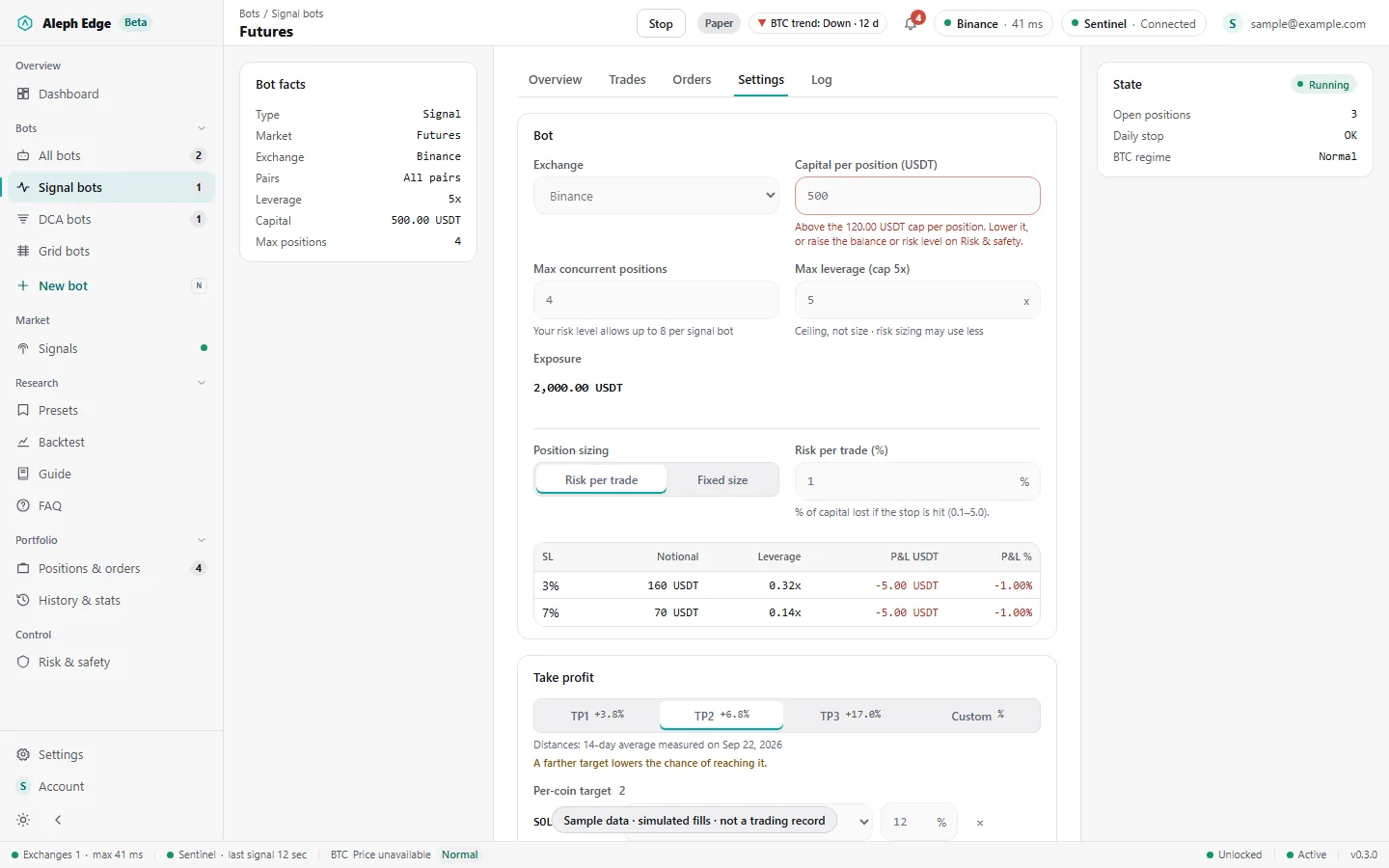
Capital per position, how many positions the bot may hold, the leverage cap and how it sizes: a fixed amount or a share of capital at risk per trade. Take profit at TP1, TP2, TP3 or a custom percentage, with per-coin overrides.

  • Values above your risk level's caps are flagged in the form and refused at save
  • Paper orders under the exchange's 5 USDT minimum are refused, as the exchange would
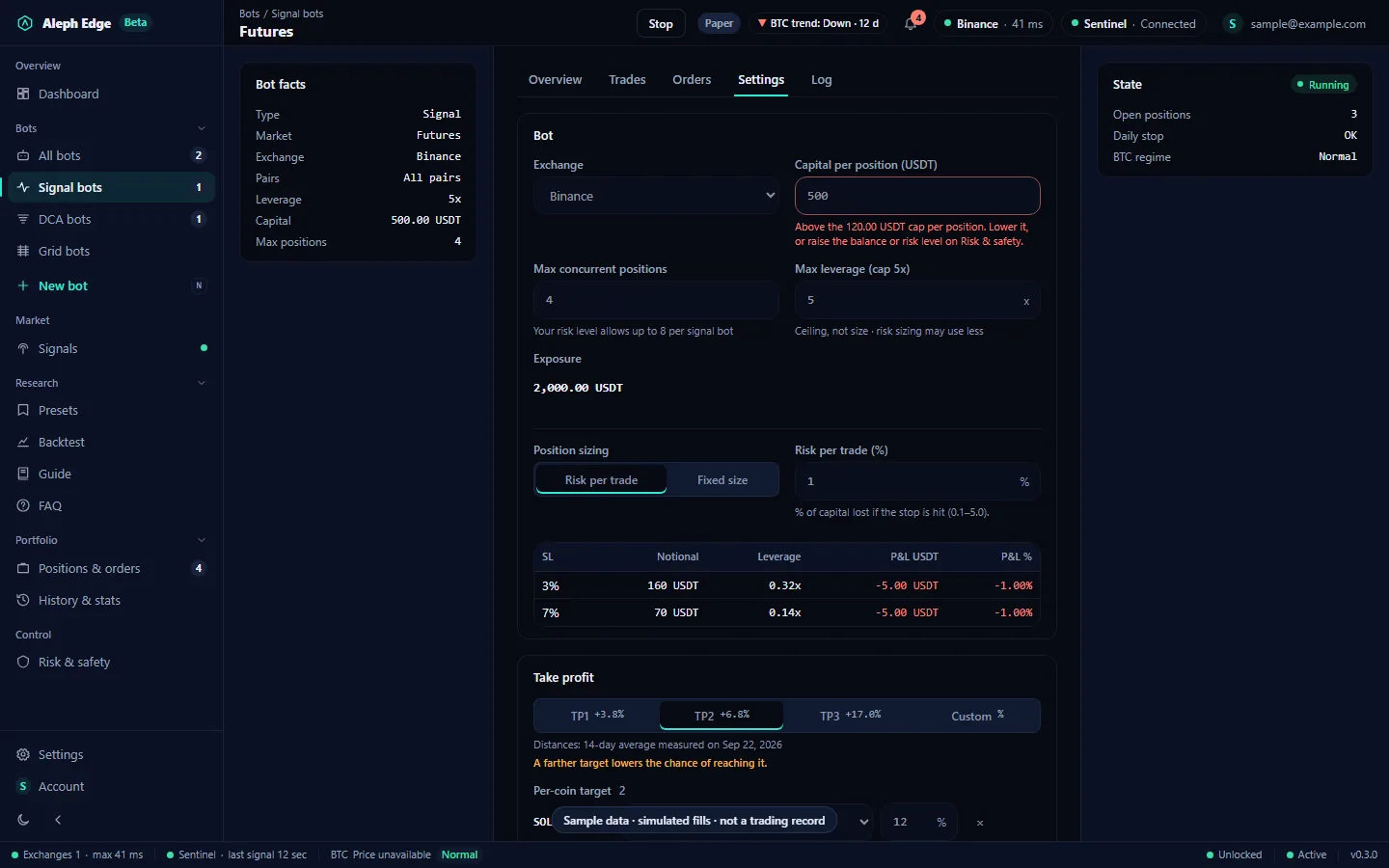
Futures signal bot settings tab with exchange, capital per position, max concurrent positions, leverage, position sizing and take-profit choices.

Run DCA and Grid bots

07New bot

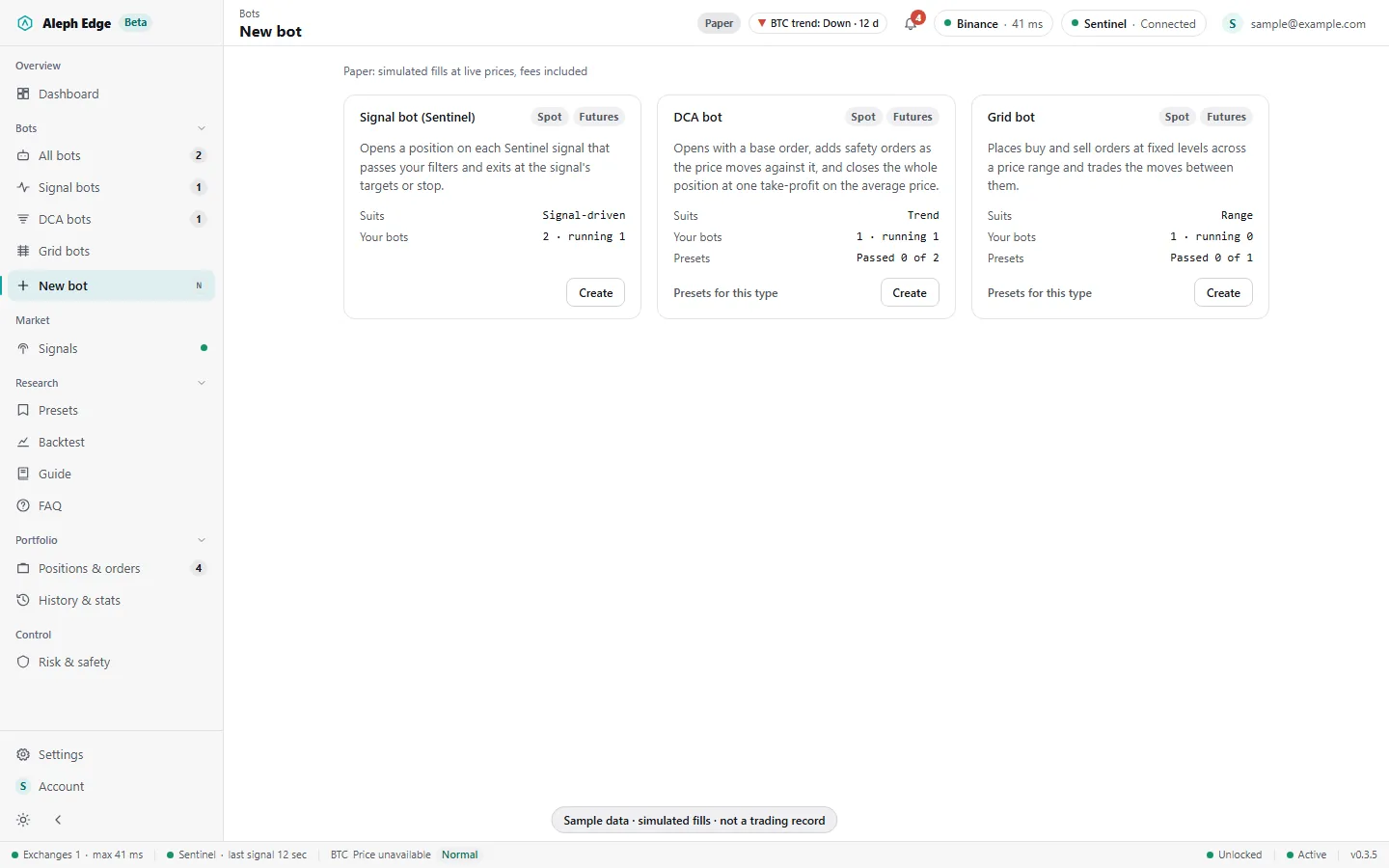
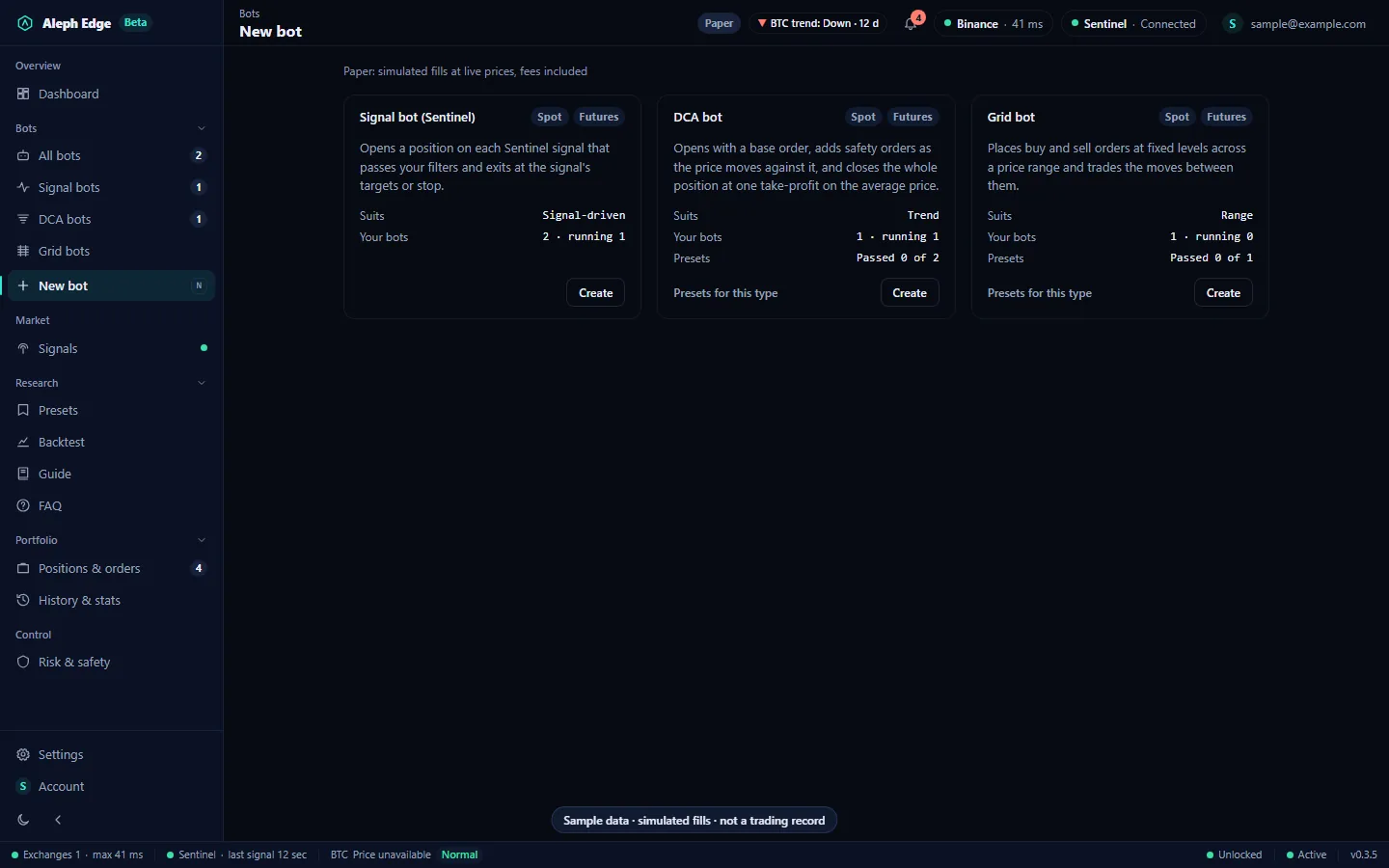
Pick a bot type: a signal bot driven by Sentinel, a DCA bot for trends or a Grid bot for ranges. Each card says how that type trades, how many of your bots are of it and how many of its presets passed. DCA and Grid trade on their own rules and do not need the signal stream.

New bot page with three cards: Signal bot, DCA bot and Grid bot, each with how it trades, your bots of that type, its presets and a Create button.

08Presets

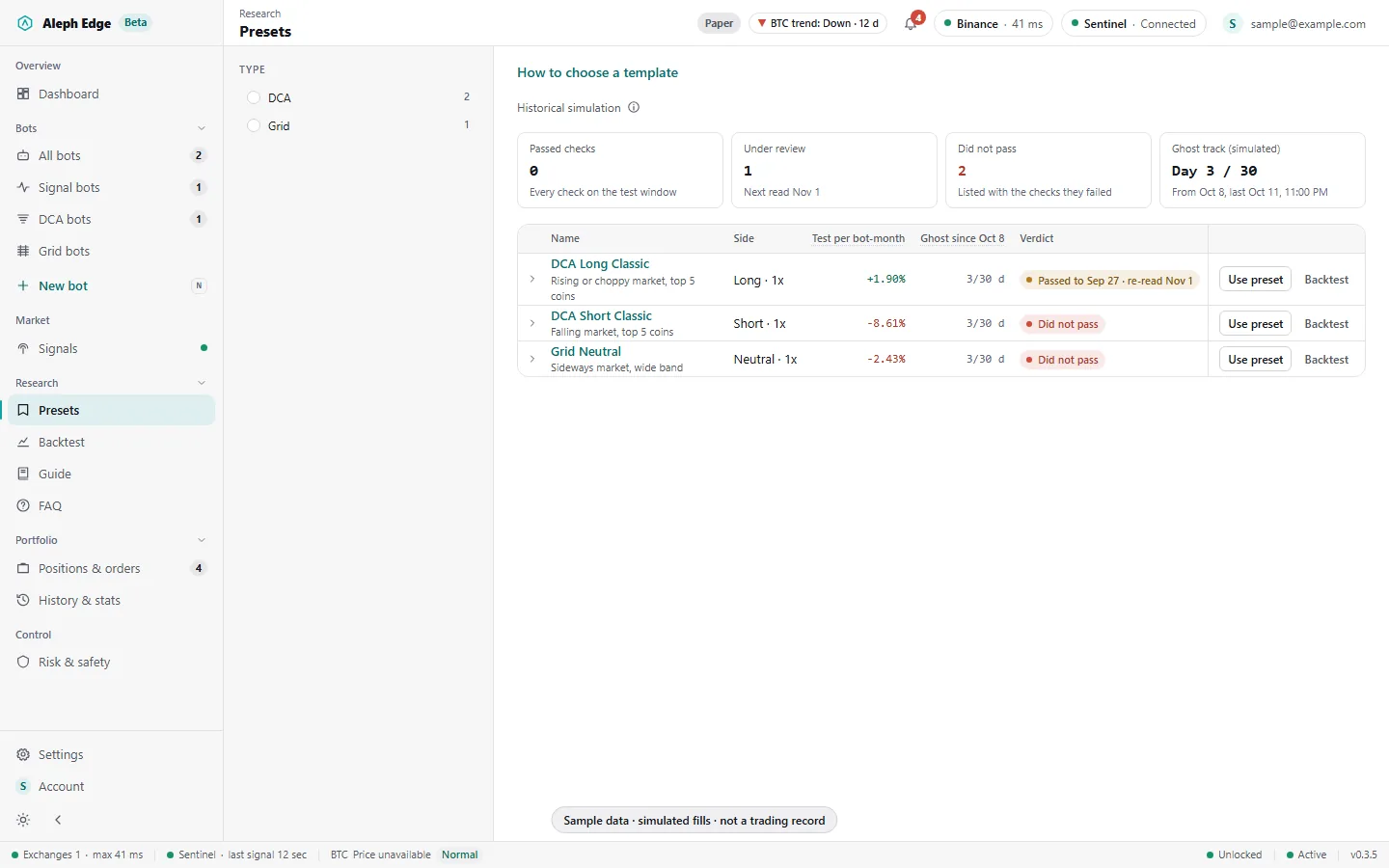
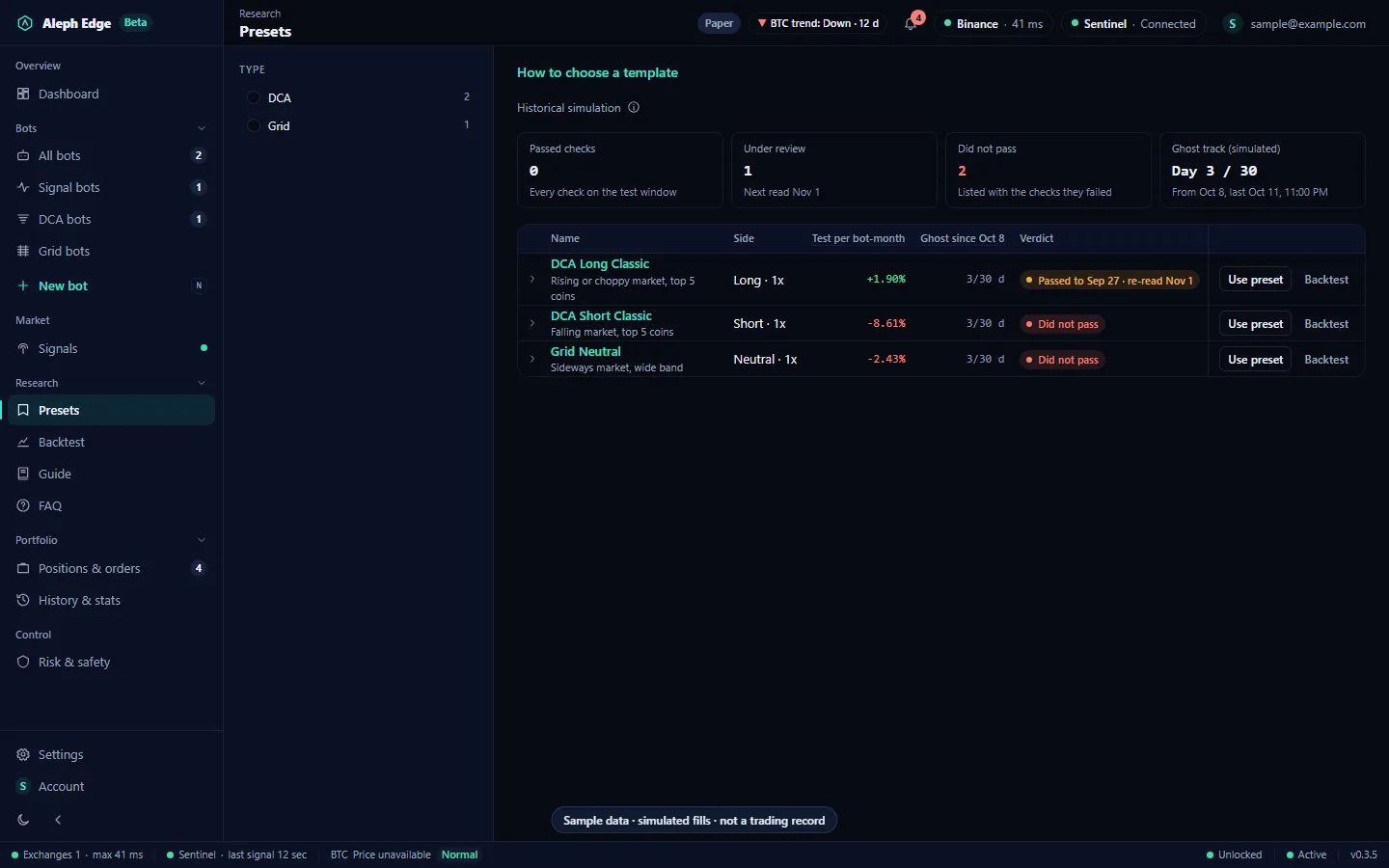
12 DCA and Grid templates, each tested on past prices with a verdict: passed checks, under review, or did not pass with the failed check named. The same 12 run forward on our server; their live results are in the table further down this page. The list opens with how many passed, are under review or did not pass, and the ghost track's day.

Presets list with the verdict counts and ghost track day at the top, then each template's side, test result per bot-month, ghost track progress and verdict.

09A template's results

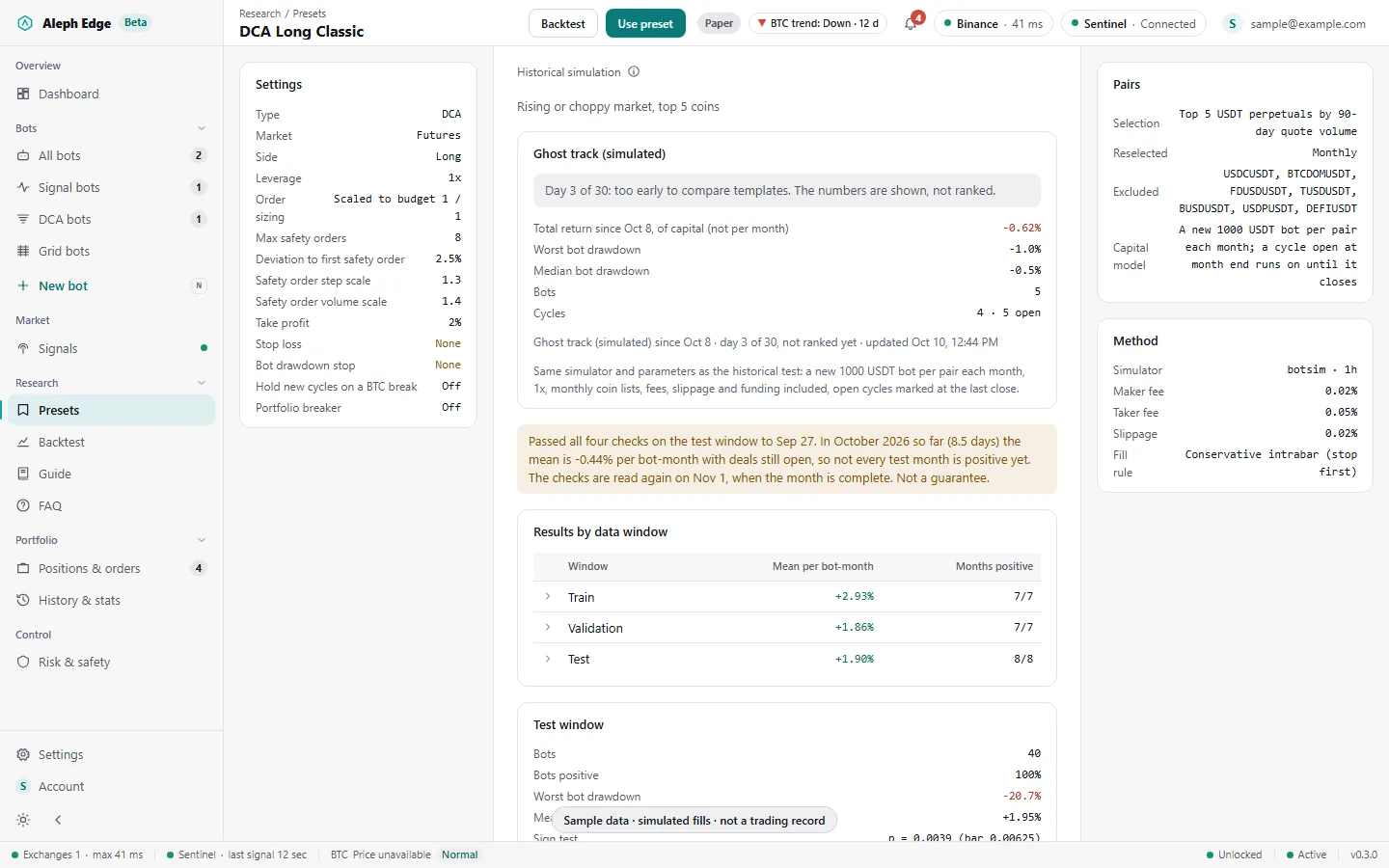
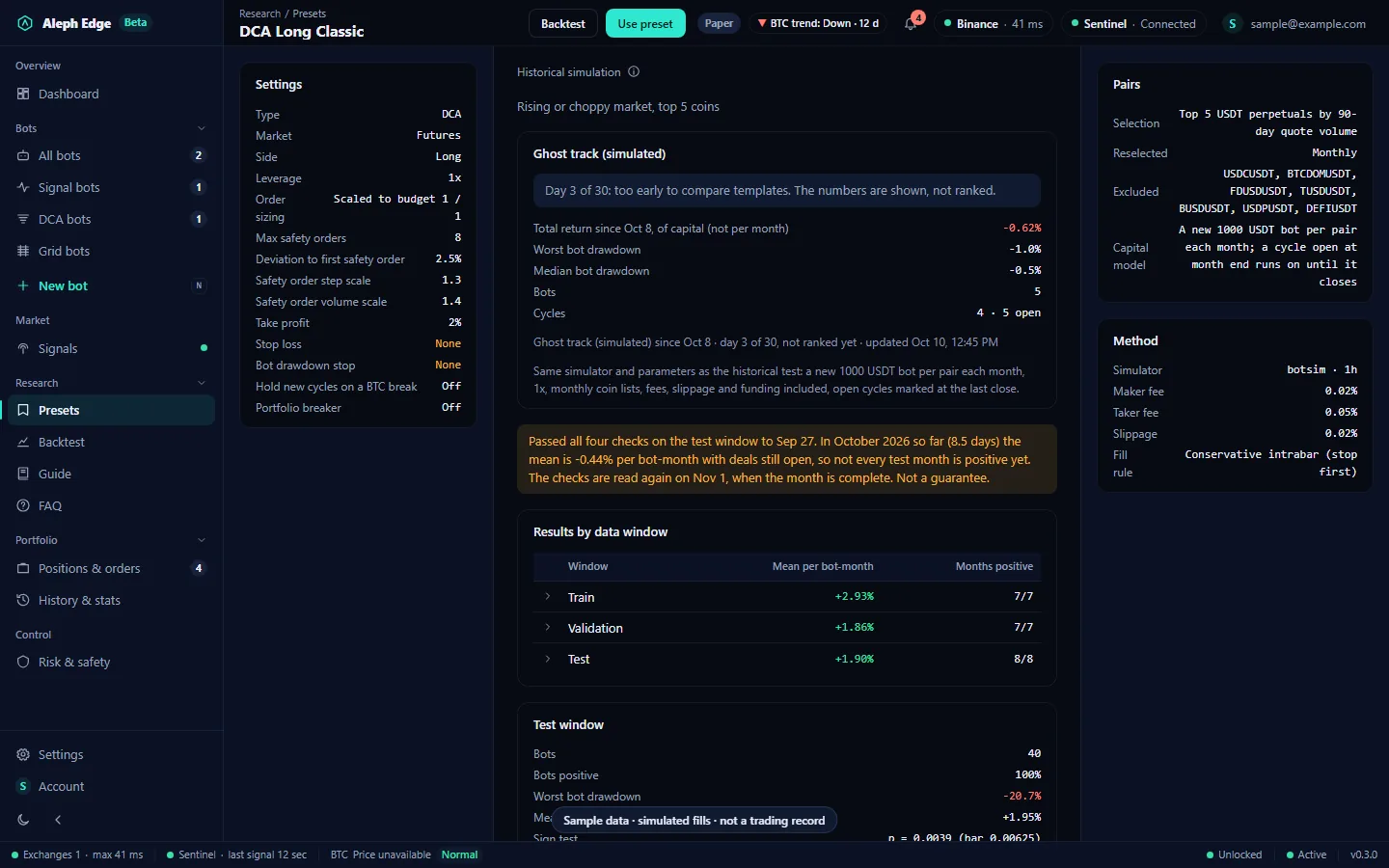
Settings, results per data window (train, validation, test), the test method and costs, and the template's own ghost track. Use preset fills the form; Backtest opens it on past prices.

DCA Long Classic template page with its settings, ghost track, results by data window, test window figures, pairs and method.

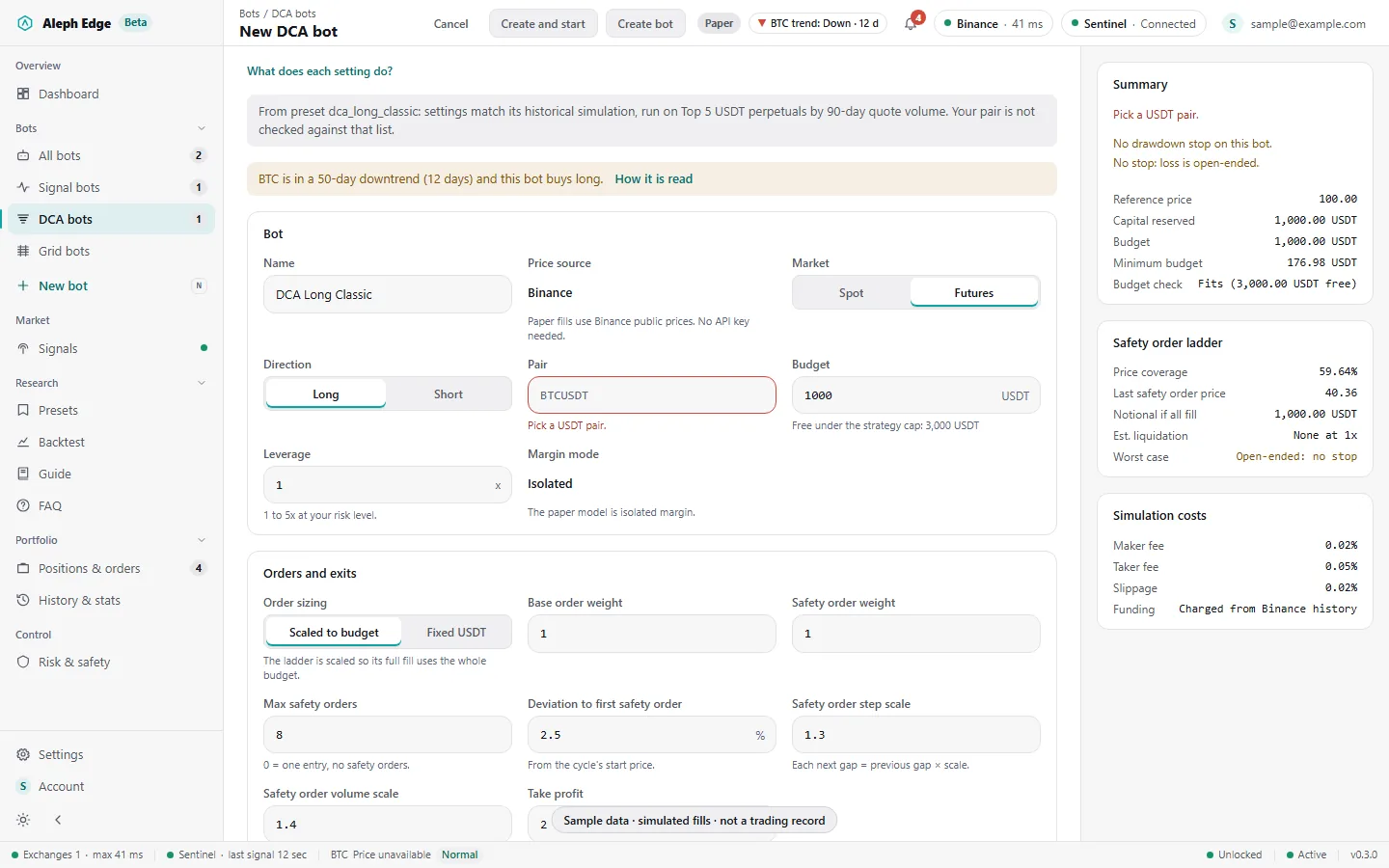
10Create a DCA bot

The form opens filled from the template. The summary on the right shows the minimum budget, the budget check against your cap and the safety-order ladder: price coverage, last order price and estimated liquidation.

  • Changing anything but name and budget drops the template link, and the form says so
  • A bot starts only if its budget fits under the risk level's DCA/Grid cap
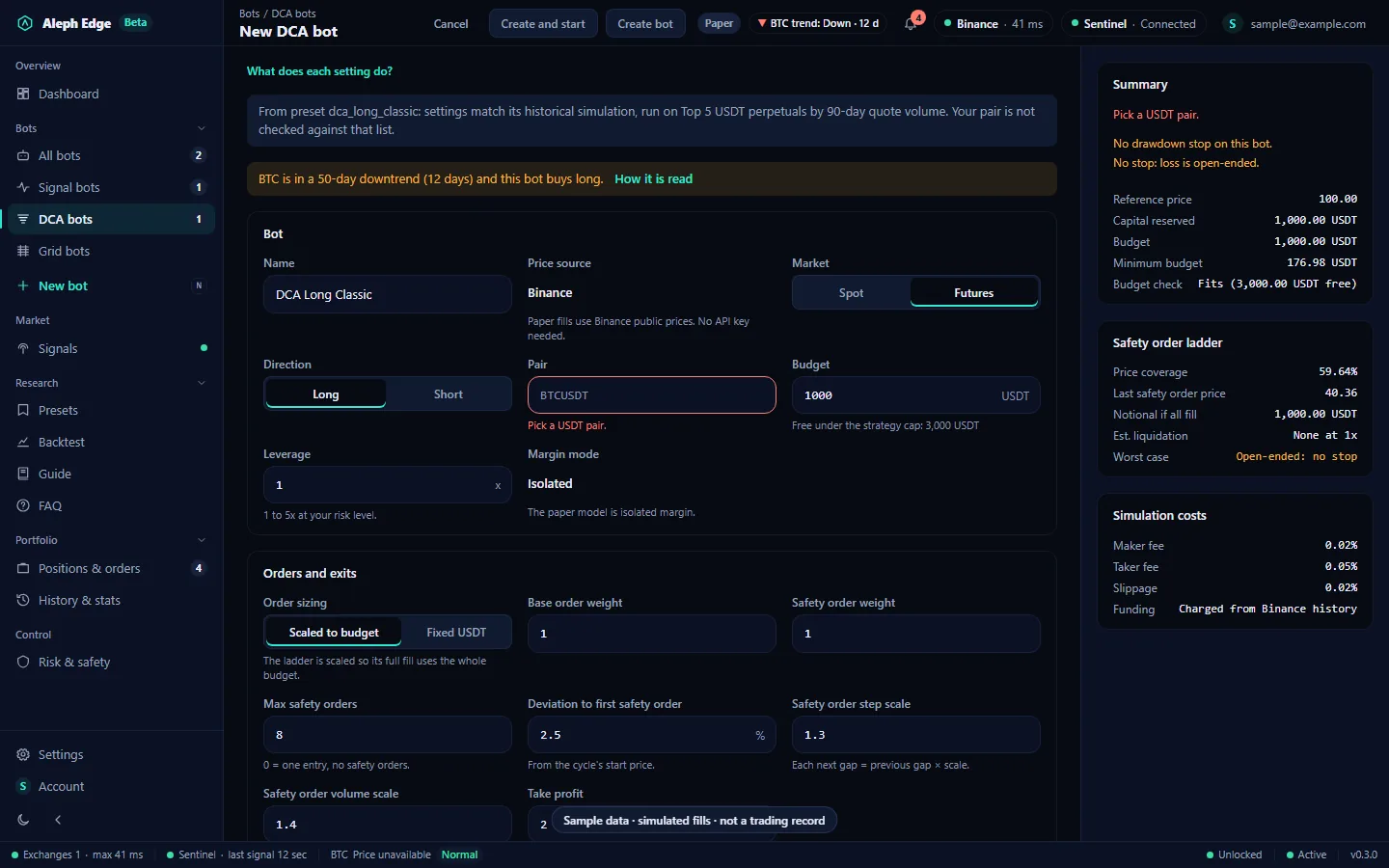
New DCA bot form filled from DCA Long Classic, with the safety-order ladder, minimum budget and simulation costs in the summary.

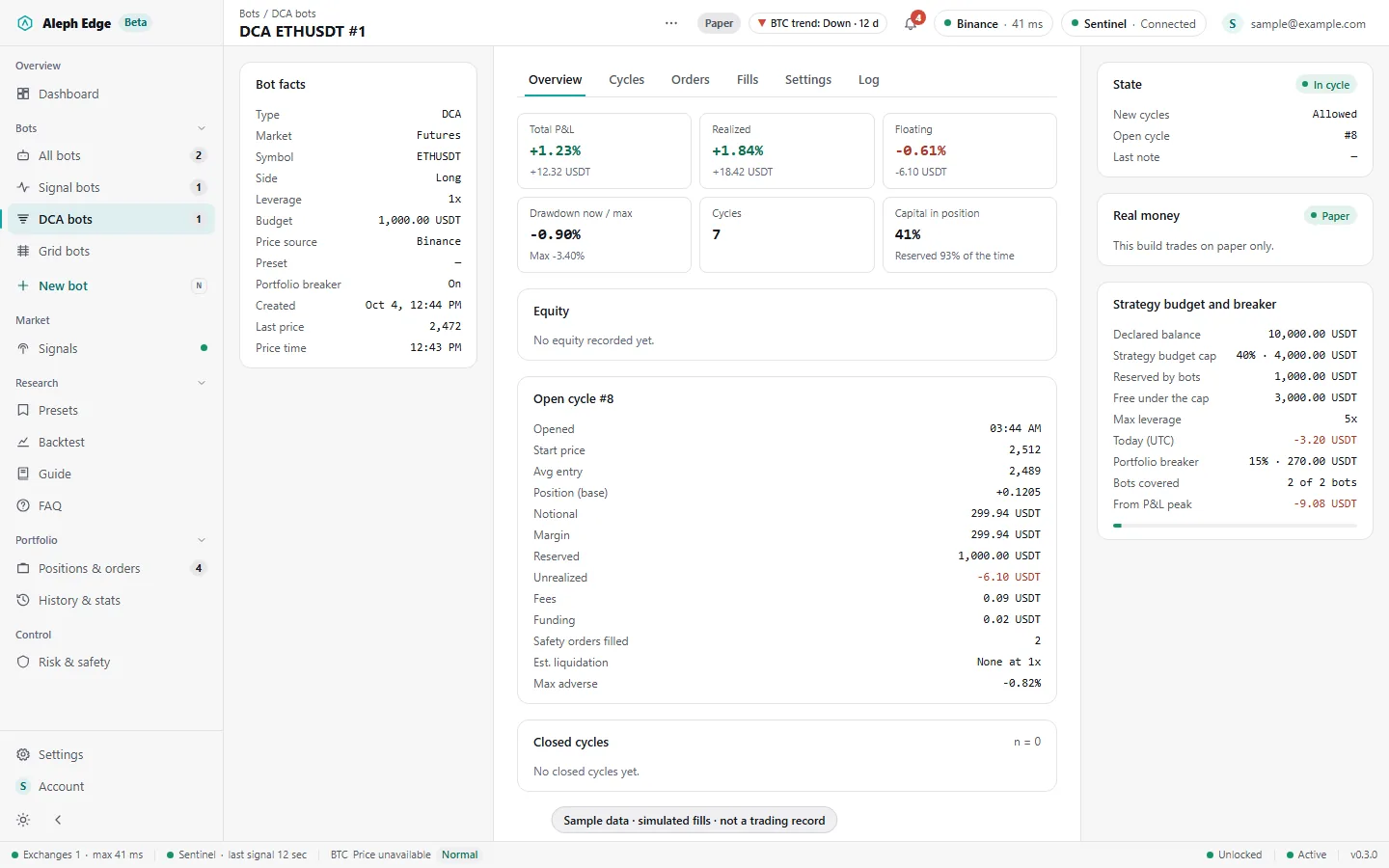
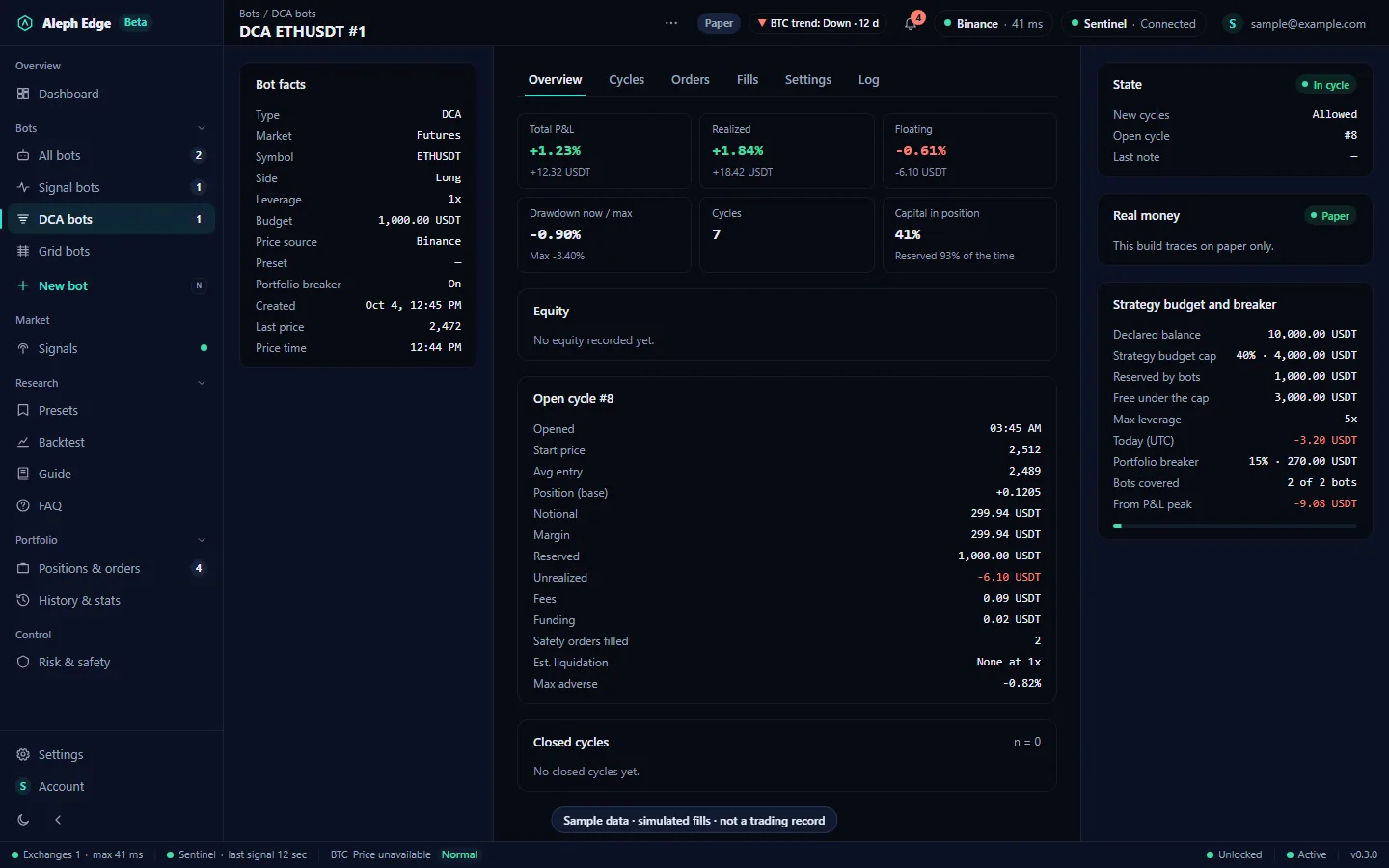
11A DCA bot at work

Total, realized and floating P&L, drawdown, the open cycle (average entry, safety orders filled, margin, fees, funding) and closed cycles. The right panel shows the strategy budget and the portfolio breaker.

DCA ETHUSDT bot page with P&L tiles, the open cycle's details, closed cycles, and the strategy budget and breaker.

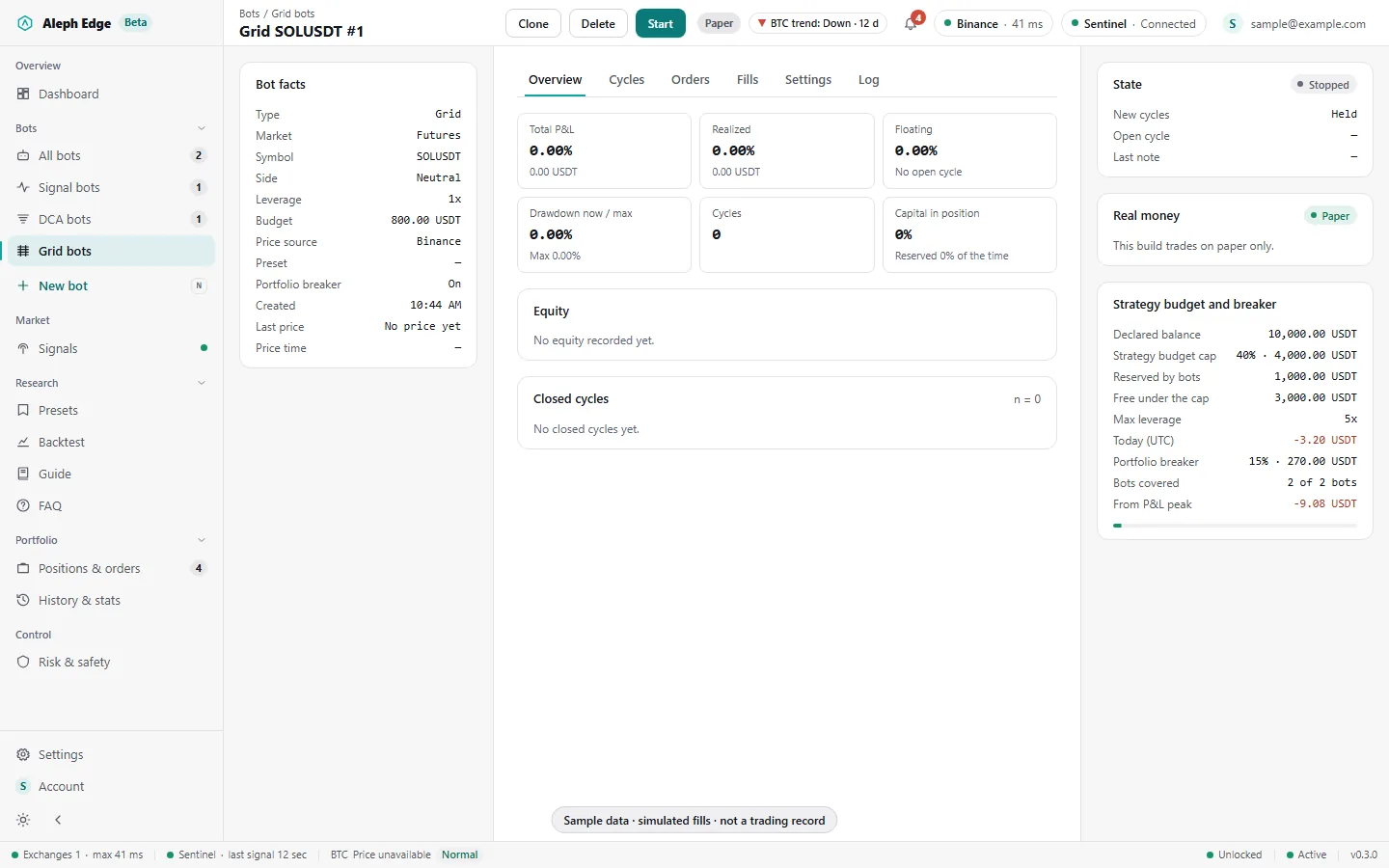
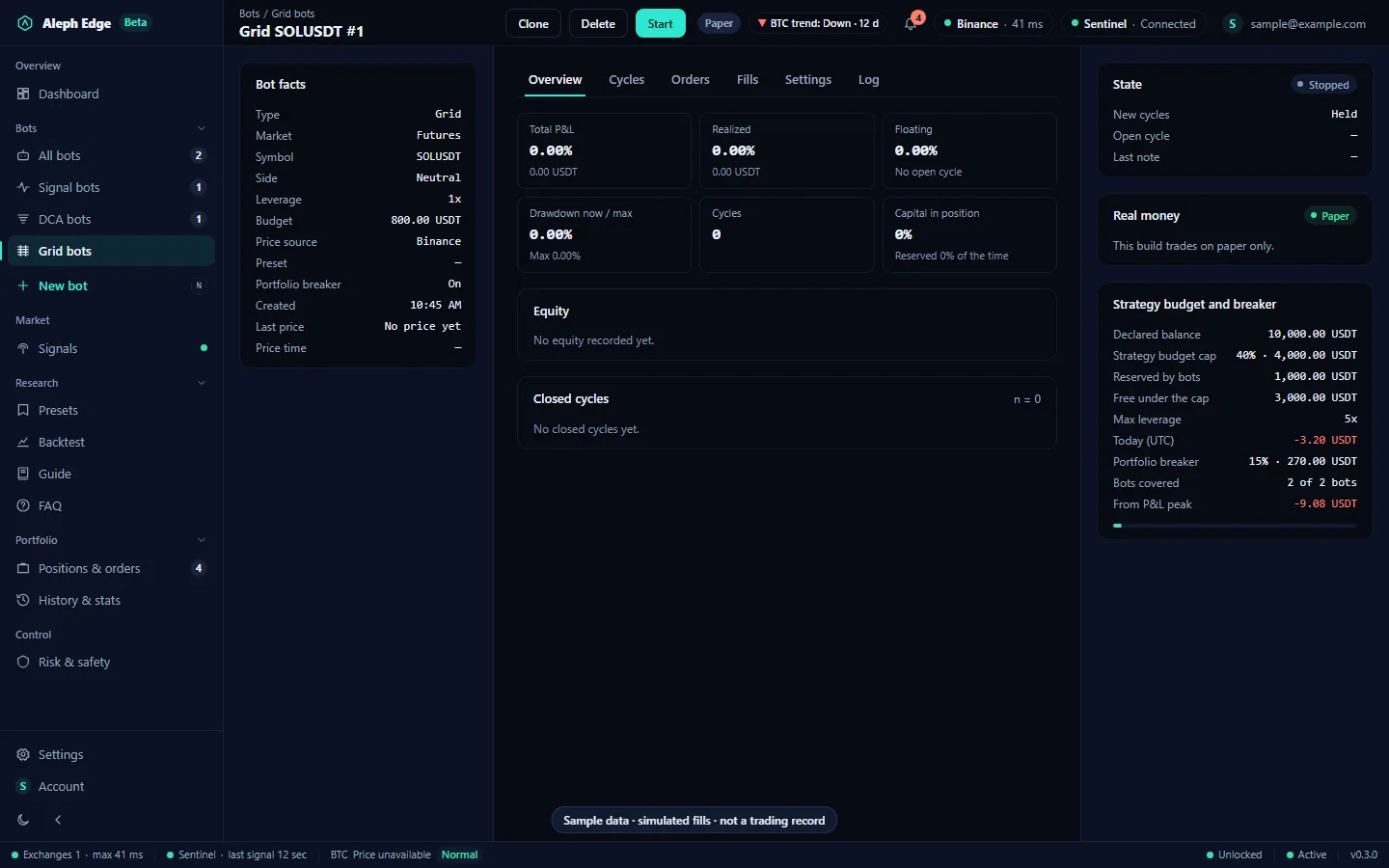
12A Grid bot

Long, short or neutral grids with arithmetic or geometric levels, a range stop and trailing up. The bot page has the same layout as DCA: cycles, orders, fills, settings and a log.

Grid SOLUSDT bot page, stopped, with bot facts, P&L tiles and the strategy budget and breaker.

Test and review

13Backtest

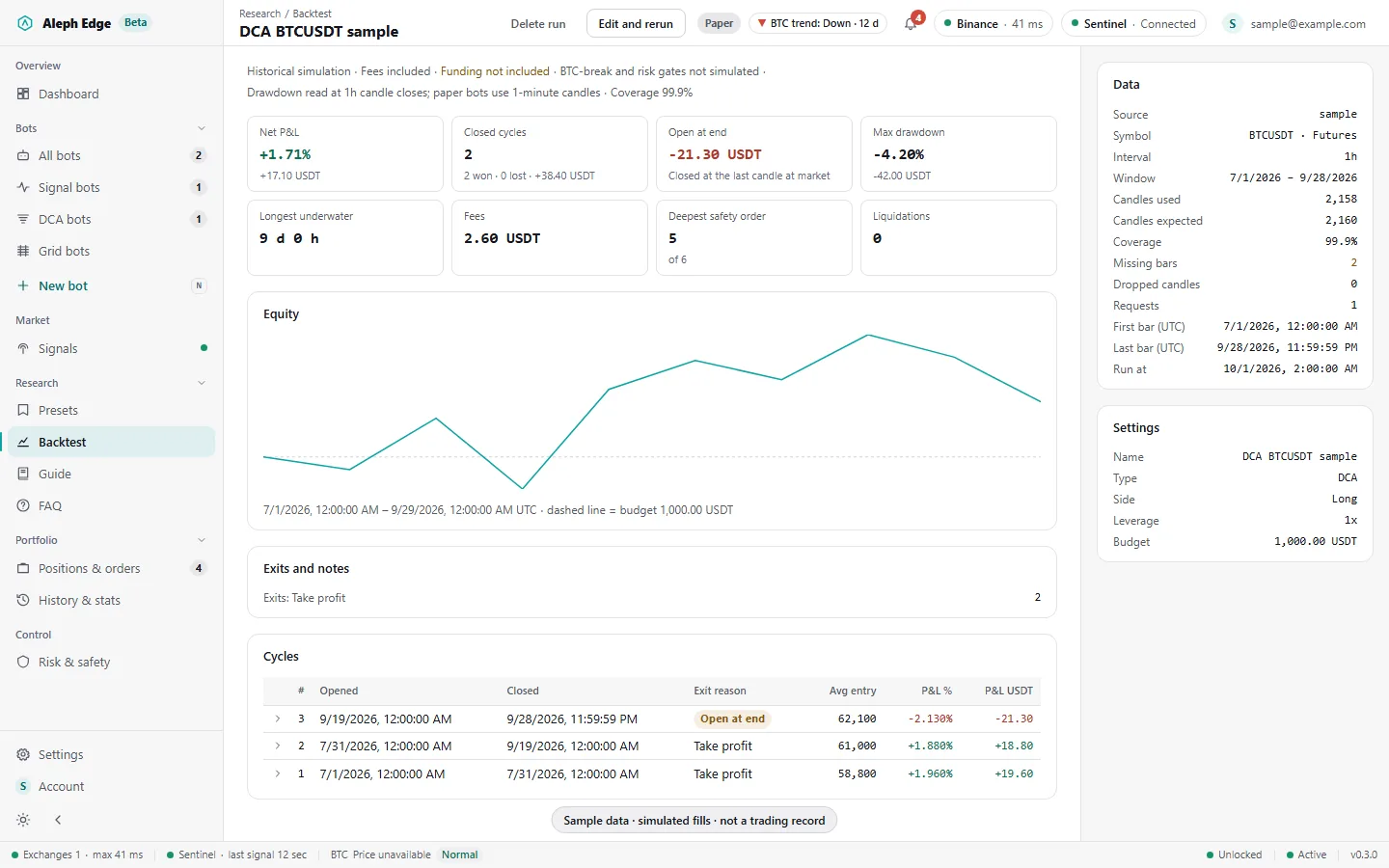
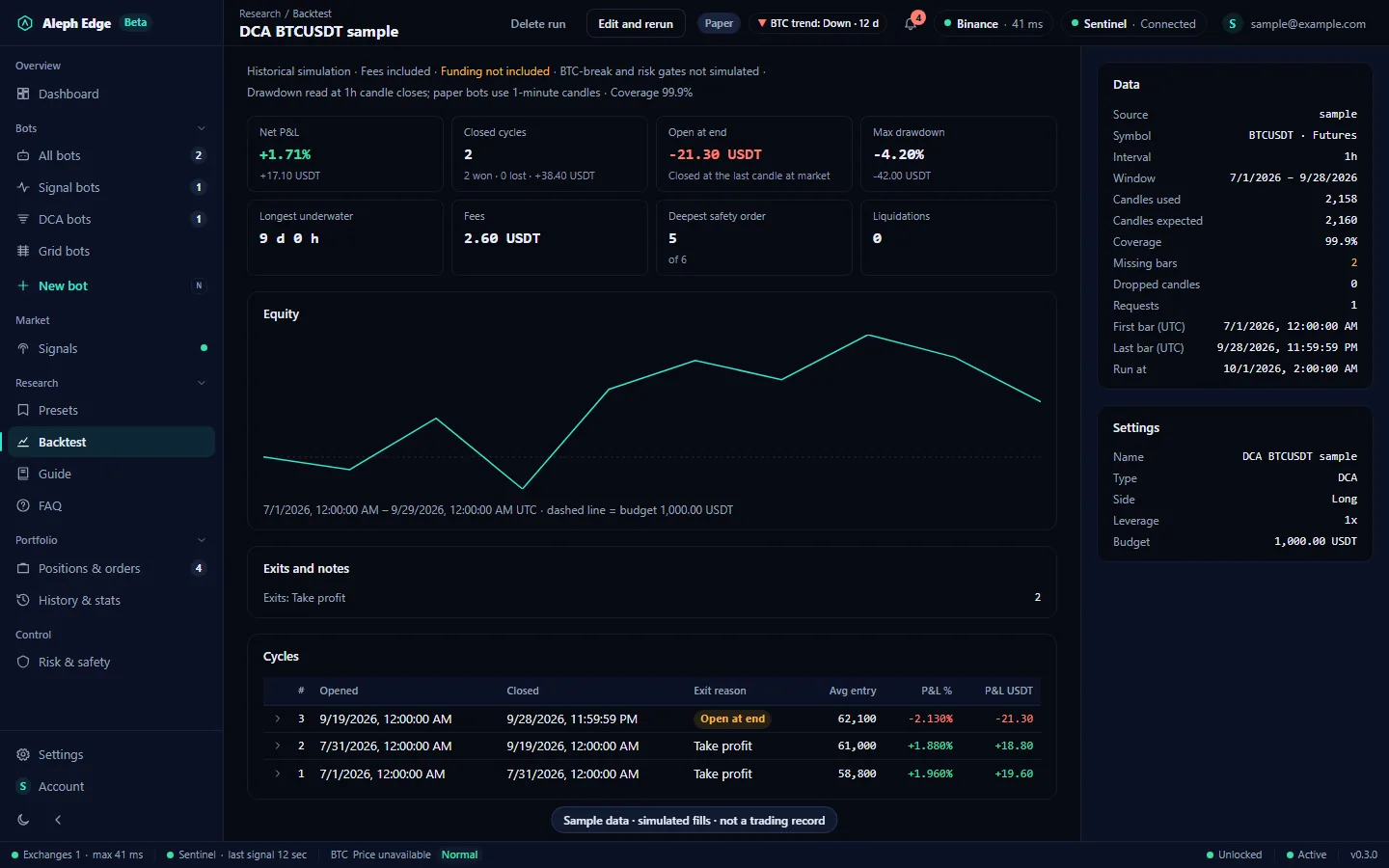
Run a DCA or Grid setup on past candles (15m to 1d, up to 3 years) before starting it. The report shows net P&L, drawdown, time under water, fees, the equity line and every cycle.

  • The report header lists what is not simulated, such as funding when the history lacks it
Backtest report for a DCA BTCUSDT run with net P&L, drawdown, fees, an equity chart and the cycle list.

14Positions & orders

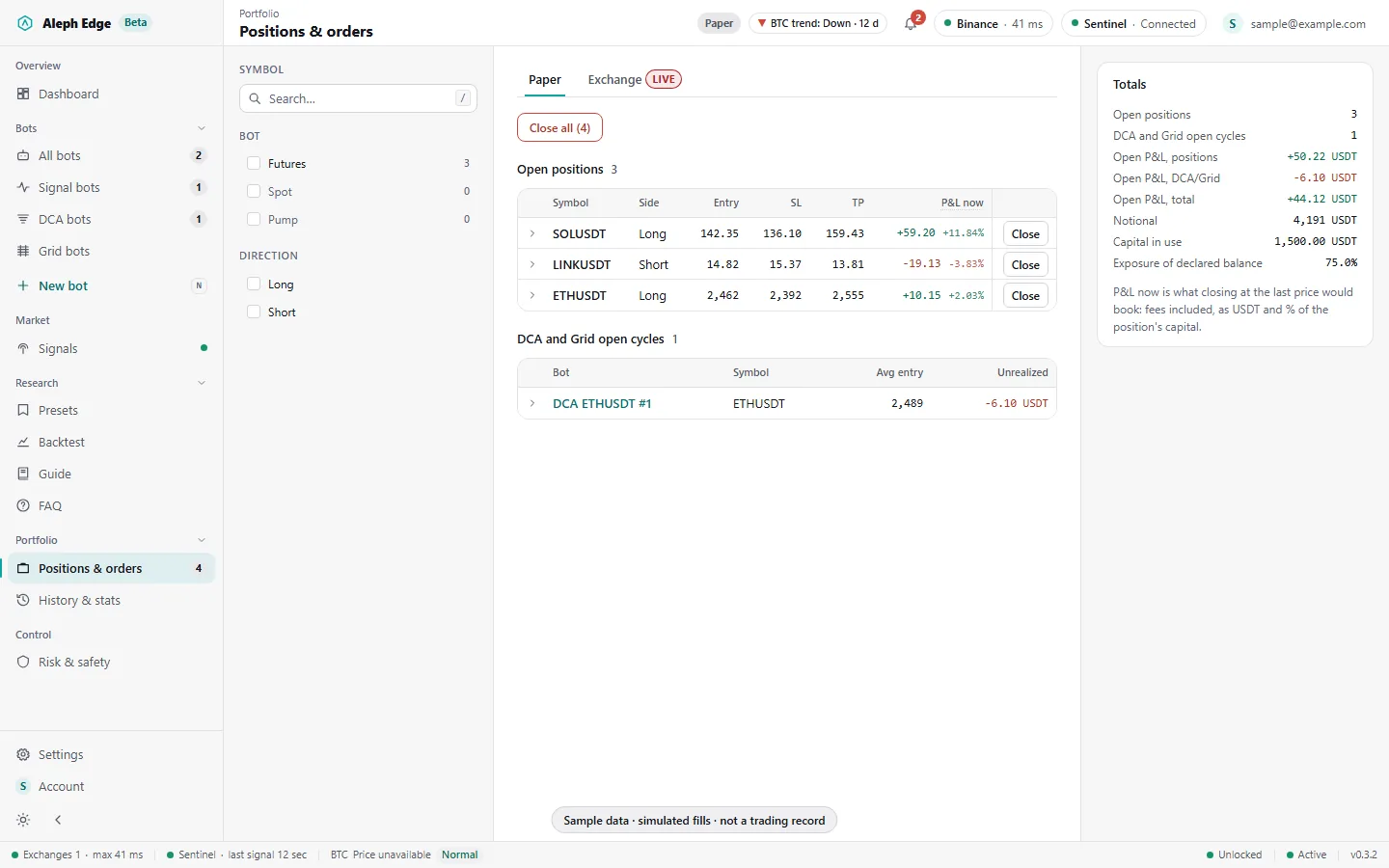
Every open paper position and DCA/Grid cycle in one place, each at its last price with P&L now, and the open P&L of positions and cycles in the totals. The Exchange tab reads your real account on Binance, Bybit or OKX.

  • P&L now uses the same calculation as a closed trade: fees and a banked partial included
  • Close on the Exchange tab sends a real reduce-only market order after you type CLOSE
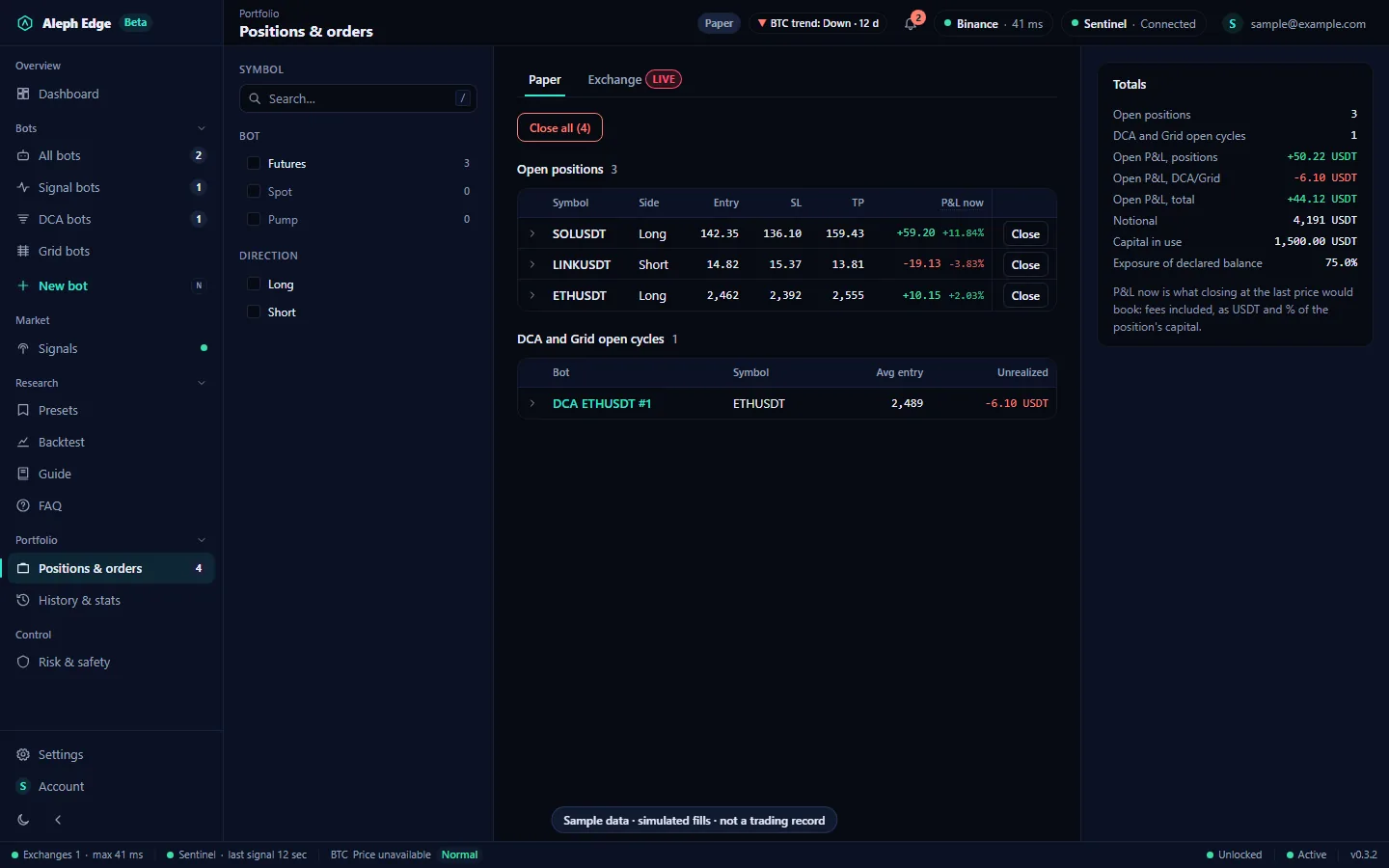
Positions & orders page with open paper positions at their last price and P&L now, the DCA open cycle, and totals with open P&L.

15History & stats

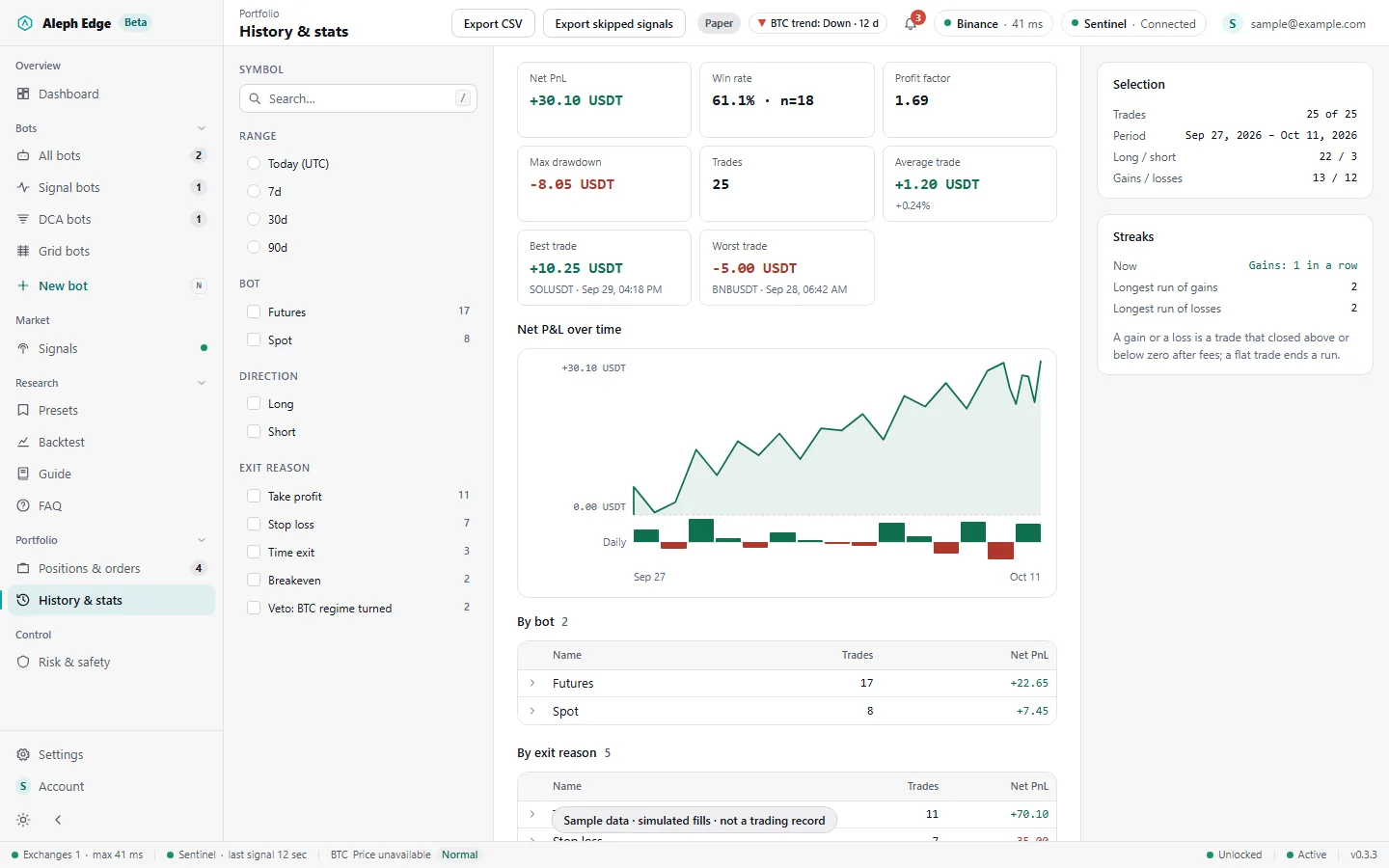
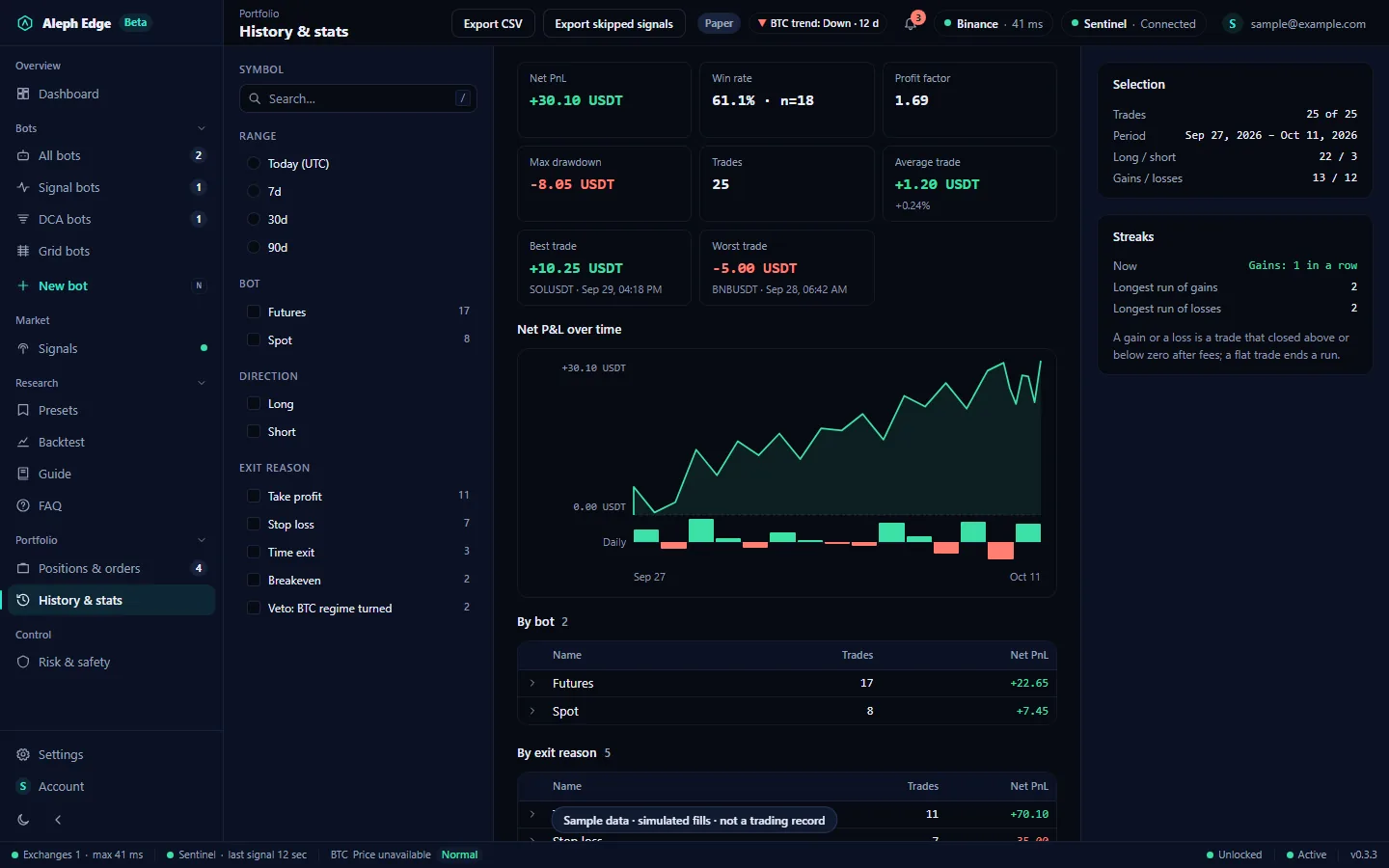
Every closed trade, and what it adds up to: net P&L, win rate, profit factor, drawdown, average, best and worst trade, the net P&L over time and per day, and breakdowns by bot, exit reason and symbol. Filter by range, bot, side and exit reason; every figure follows the filters.

  • Streaks: the current run and the longest runs of gains and of losses
  • DCA/Grid cycles have their own totals below the trades
  • Export trades or skipped signals as CSV
History & stats page with totals, the net P&L over time chart with daily bars, breakdowns by bot and exit reason, and the selection and streaks panels.

Keys, settings and account

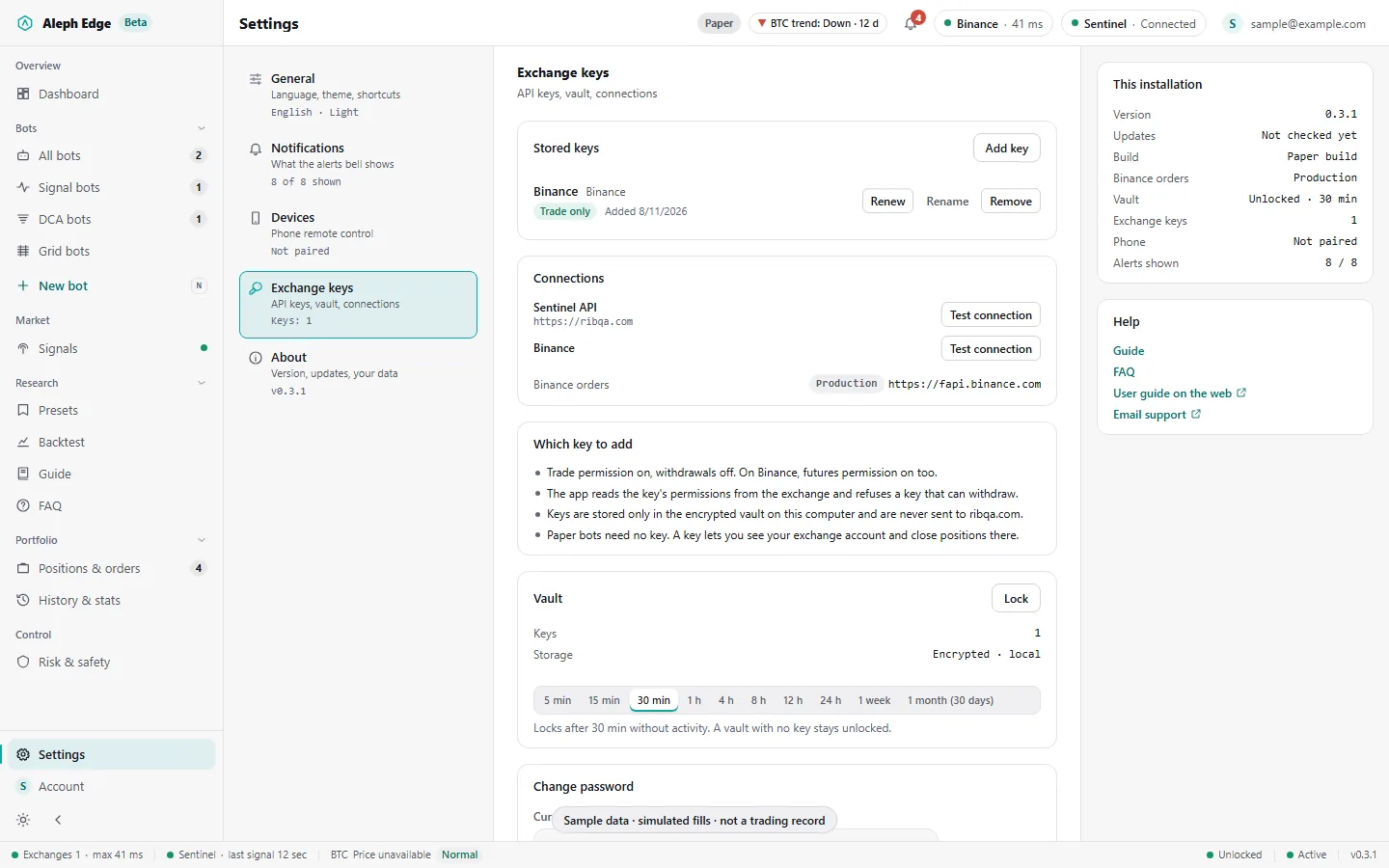
16Exchange keys

Keys are needed only to read your exchange account. Add a trade-only key: the app checks its permissions with the exchange and refuses keys that can withdraw.

  • Kept in an encrypted vault on your computer, never sent to ribqa.com
  • Auto-lock from 5 minutes to 1 month; bots keep running while it is locked
  • No password recovery: a lost password means resetting the vault and adding the keys again
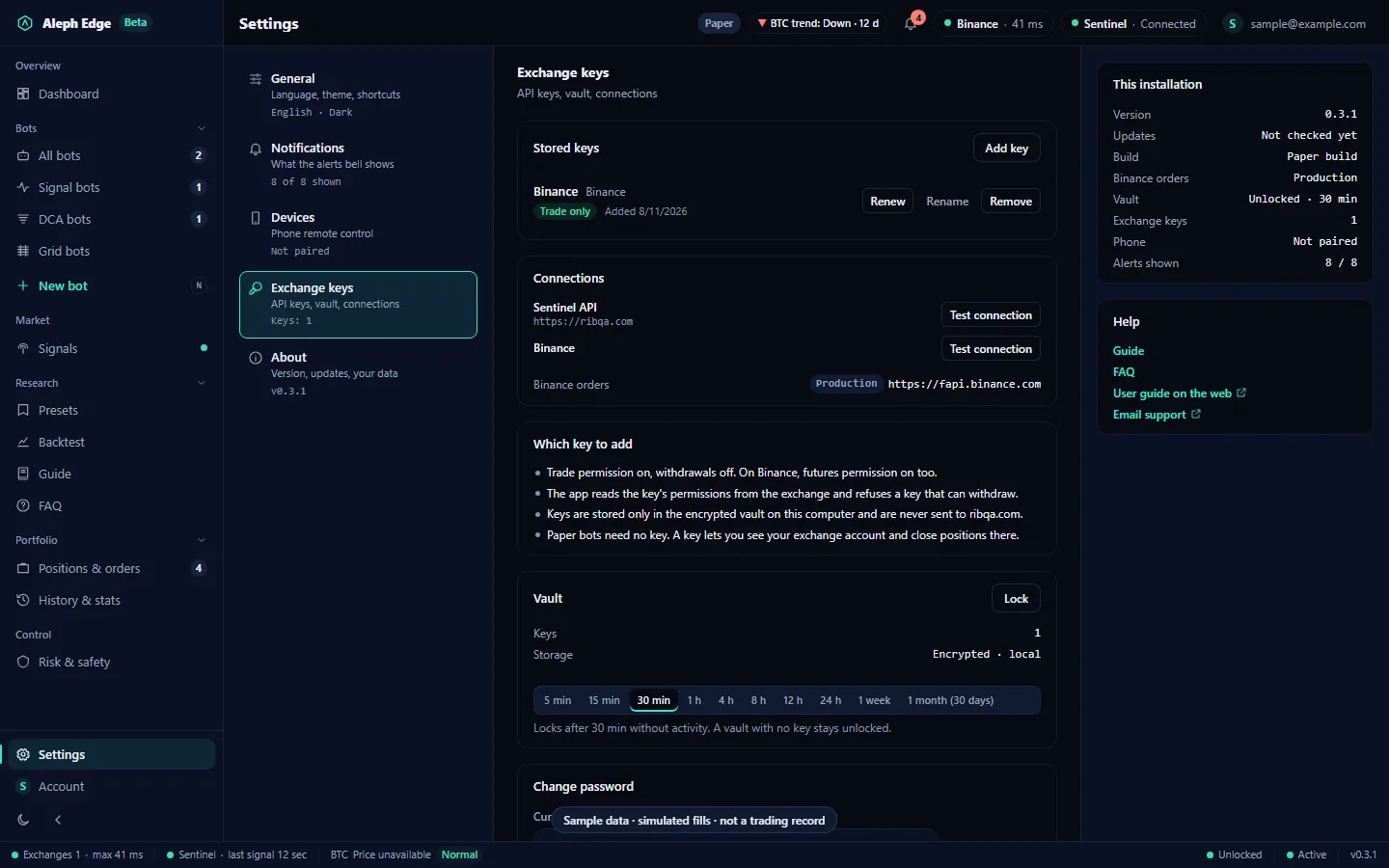
Settings, Exchange keys section: the stored trade-only Binance key, connection tests, which key to add, and the vault with its auto-lock choices.

17Settings and About

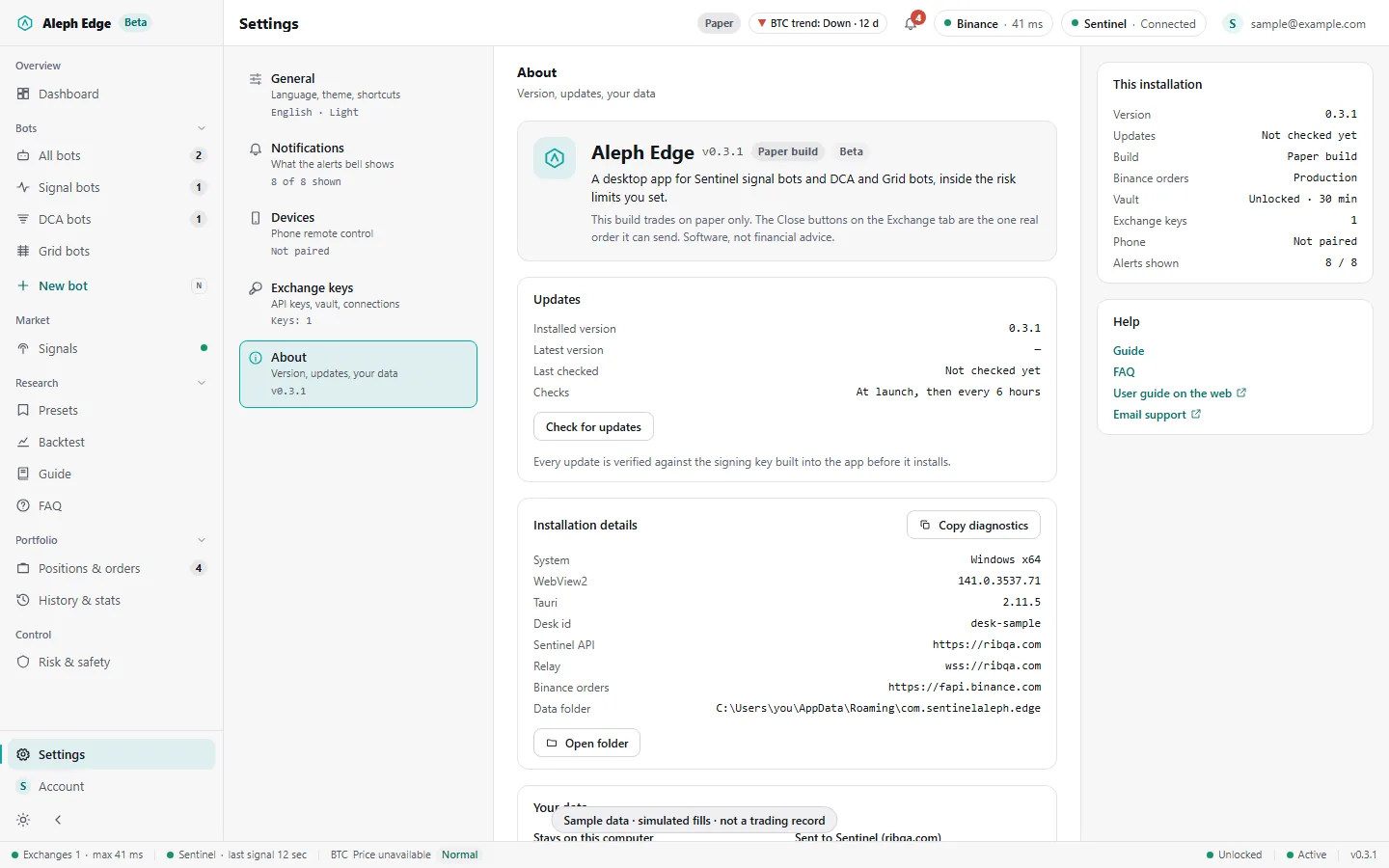
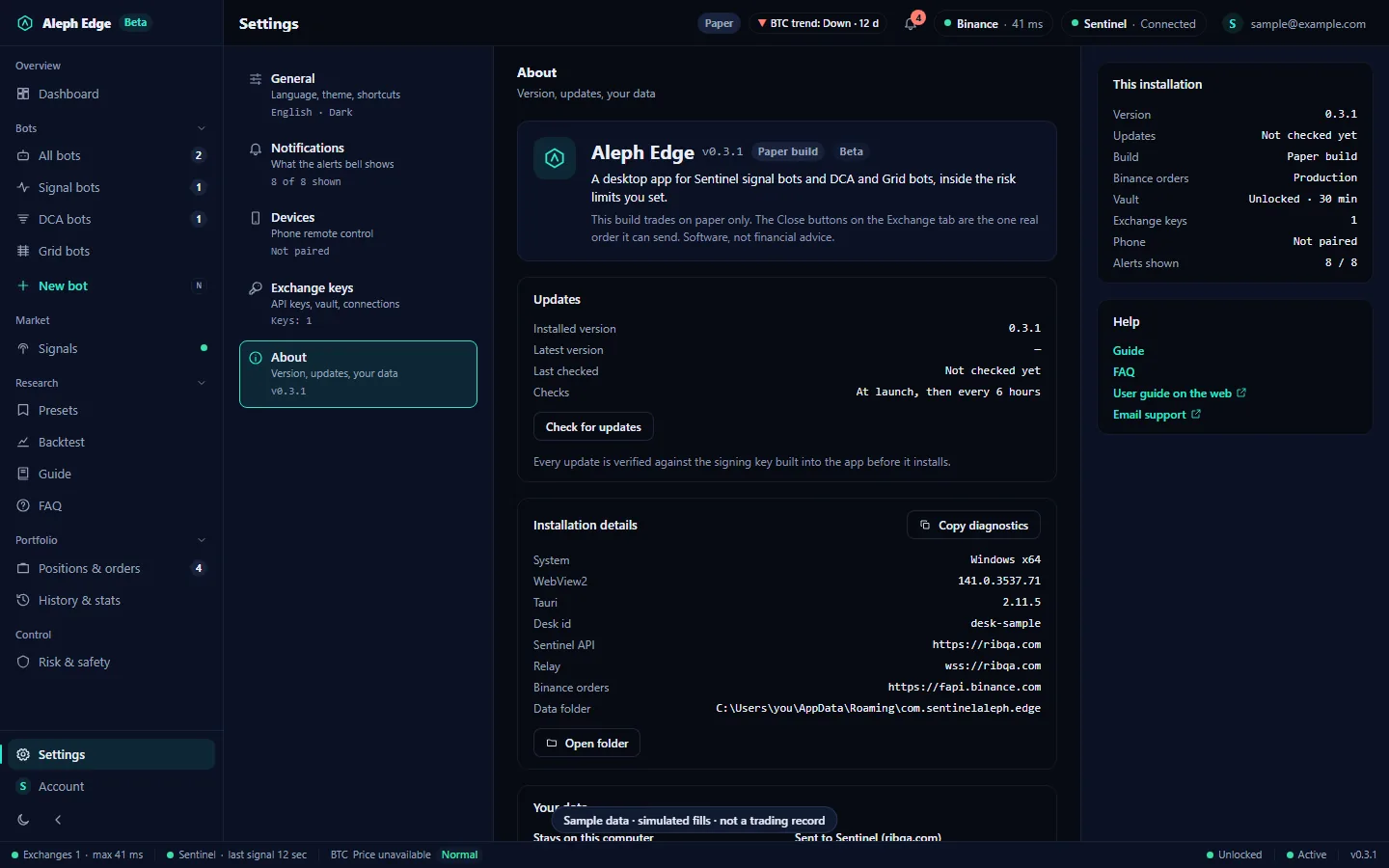
Settings lists its sections on the left with their state: language and theme, which alerts the bell shows, phone pairing, exchange keys and About. About shows the version and build, the update check, this installation's details and where your data goes.

  • Copy diagnostics gives support the version, build and system, without folder paths
  • Each alert category says when it fires; hiding one hides the notice, not the bots' reaction
  • Keys, bots and trades stay on this computer; ribqa.com gets sign-in, the signal stream and market data requests
Settings, About section: version and build chips, updates, installation details with Copy diagnostics, and the sections list on the left.

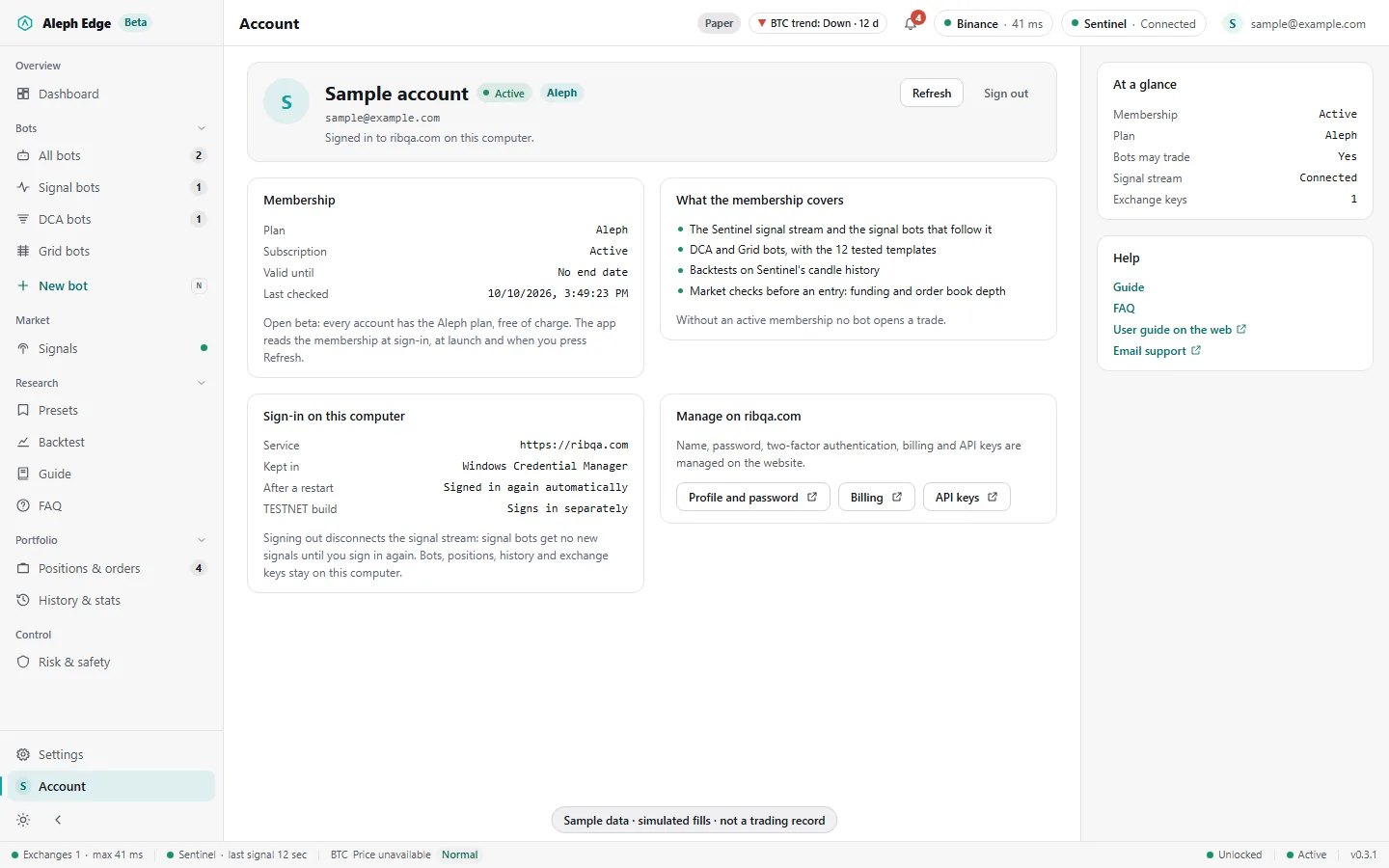
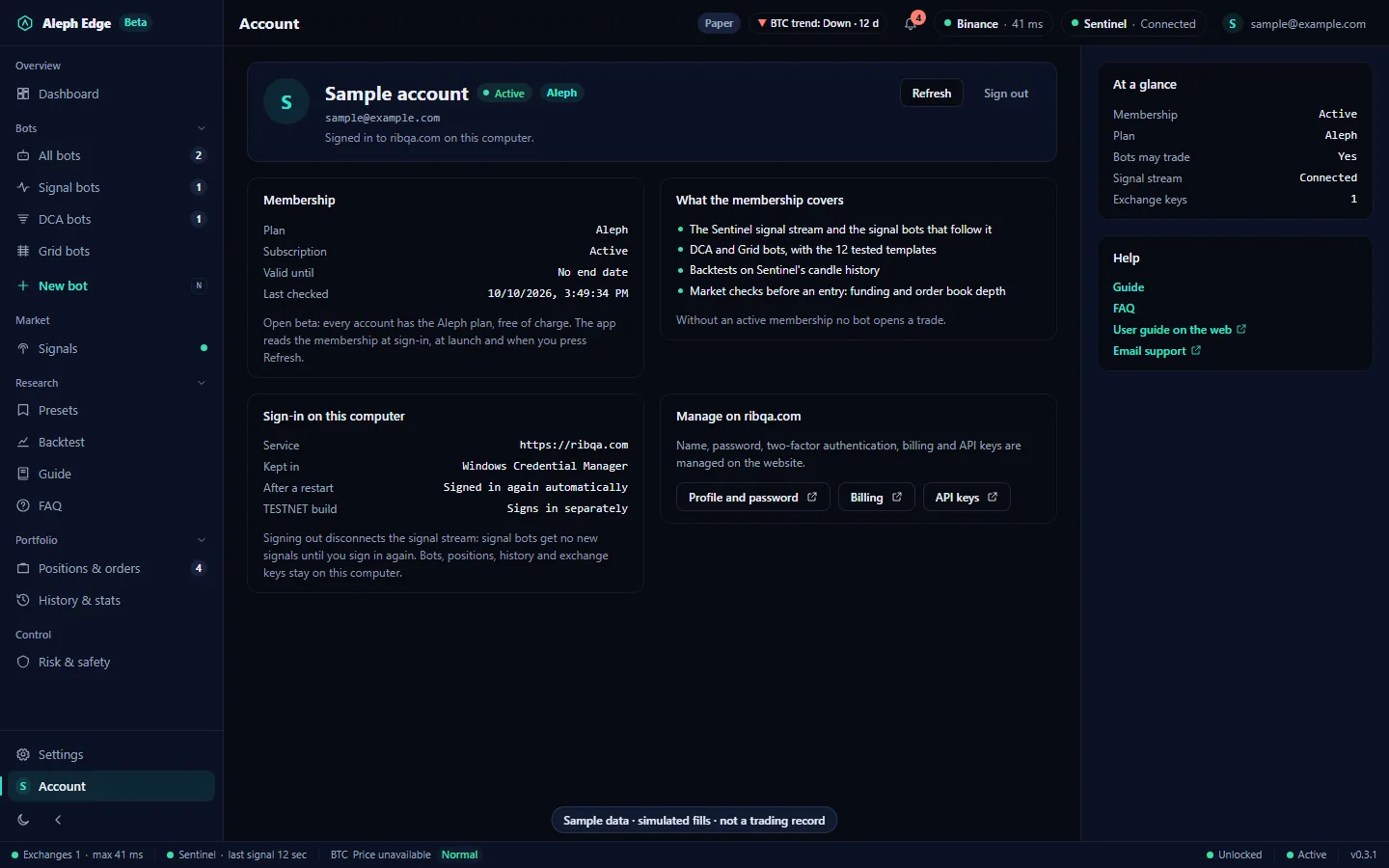
18Account

Your ribqa.com membership: plan, subscription, valid until and when the app last checked it, what the membership covers, and where the sign-in is kept on this computer.

  • Without an active membership no bot opens a trade
  • Sign out asks first: signal bots get no new signals until you sign in again
  • Profile, password, billing and API keys open on ribqa.com
Account page with the membership, what it covers, the sign-in on this computer and links to manage the account on ribqa.com.

Presets: live ghost track

updated every 6 hours

Every template in the app's Presets menu runs forward on our server from 8 October 2026, with the same simulator and settings as its historical test: 1,000 USDT per bot, 1x, the month's coin list, fees, slippage and funding included. Nobody's money is in it. Open cycles are valued at the last close.

Collecting · day 29 of 30Since 8 Oct 2026 · updated 6 Nov 2026, 23:10 UTC. Live returns are shown after 30 days: a few weeks mostly show what the market did.

TemplateTest mean / monthTest worst drawdownVerdictLive since 8 OctLive worst drawdownLive cycles
DCA Long ClassicRising or choppy market, top 5 coins+1.98%-20.7%Under reviewCollecting—81
DCA Long SafeUncertain market, ladder built for deep drops+1.51%-15.8%Under reviewCollecting—104
DCA Long QuickFrequent small profits on short pullbacks+5.63%-38.2%Did not passCollecting—185
DCA Long BTCBitcoin only+1.94%-16.0%Did not passCollecting—8
DCA Long AltcoinsVolatile altcoins (volume rank 6 to 15)-2.89%-97.2%Did not passCollecting—191
DCA Long with StopFor users who want a capped loss+2.06%-26.9%Did not passCollecting—81
DCA Short ClassicFalling market, top 5 coins-8.61%-100.4%Did not passCollecting—111
DCA Short SafeFalling market, built for sharp rallies-6.72%-100.0%Did not passCollecting—126
Grid NeutralSideways market, wide band-2.43%-34.1%Did not passCollecting—18
Grid Neutral TightSideways market, narrow band-6.26%-50.2%Did not passCollecting—50
Grid Long TrailingSlowly rising market+1.22%-40.1%Did not passCollecting—12
Grid ShortSlowly falling market-5.05%-48.4%Did not passCollecting—18

Test columns: historical simulation, test window February to September 2026. Neither the test nor the live track is a trading record or a forecast.

Risk Lab: the same 12 templates through a BTC stress move and five past crashes. What we tested, and what failed: every pre-registered idea and its result. Today: the daily before-you-trade summary.

Features

23 items

Signal bots
Futures, Spot (long only) and Pump bots follow Sentinel signals from the authenticated stream.
Paper or Live
Each bot is Paper or Live, chosen when you make it; Paper is the default. Live needs a verified trade-only Binance key and the typed LIVE, and the first entries are capped. After a restart a Live bot comes back stopped until you type LIVE again.
TradingView bot
Alerts from your TradingView webhook trade on Binance USDT-M futures, Paper or Live. Repeated alerts, alerts older than the stale window on the server's clock and alerts whose price moved more than 0.5% (the default) are refused.
Pine bot
Paste a Pine-lite script (the subset that runs on the Chart page), map its alertcondition or plotshape triggers to Buy, Sell or Close, and run it on closed 15m, 1h, 4h or 1d bars of up to 10 pairs. The script runs on your PC. Paper on any venue; Live on Binance USDT-M futures with a stop set on the bot.
Execute
Take a signal now as a paper position at market inside its stop and target, or open a DCA or Grid template on its pair.
DCA bots
Base order plus safety orders, step and volume scaling, take profit, optional stop, restart rules.
Grid bots
Long, short or neutral grids with arithmetic or geometric levels, range stop and trailing up. A range and grid count suggested from 30 days of volatility, with your settings and the suggestion replayed side by side. A grid whose fees would take more than about half of each step is refused.
Presets
12 DCA and Grid templates, each with its historical test and a verdict.
Live ghost track
The 12 templates run forward on our server since 8 Oct 2026; the table above updates every 6 hours.
Backtest
Run a DCA or Grid configuration on past candles before starting it, fees included.
Take profit
Signal bots: TP1, TP2, TP3 or a custom % from the fill, with per-coin overrides.
Sizing
Risk per trade (0.1% to 5% of capital) or fixed size. In risk mode leverage is a cap.
Risk levels
Five levels set max leverage (2x to 20x), positions per signal bot, capital per position and a daily stop.
DCA/Grid limits
A budget cap per risk level and a portfolio breaker that stops the bots inside it at a set drawdown.
BTC break
While Sentinel declares a BTC break, new signal longs are refused.
Vetoes
A Sentinel veto on a signal a bot holds closes that position.
Refusals
Every skipped signal is listed with its reason: funding, order book depth, entry drift, limits.
Paper fills
Simulated against live public prices, with fees. Orders under the exchange's 5 USDT minimum are refused.
Exchanges
Binance, Bybit and OKX keys for the account view and closing positions. Live bots trade on Binance USDT-M futures only.
Updates
Signed in-app updates: the app checks at launch and every 6 hours and verifies each update before installing.
Key vault
Exchange API keys in a local encrypted file. Locks after 30 idle minutes by default.
Languages
English, Turkish, Hindi, Vietnamese, Indonesian, Russian, Portuguese (Brazil), Spanish.
Themes
Light, dark and high contrast.
What it does not do

Real money by default
No bot starts on real money. Live is chosen per bot and runs on Binance USDT-M futures only; spot bots, Bybit and OKX stay on paper until each passes its own test-network run.
Manual close
The exception: Close and Close all on the Exchange tab send real reduce-only market orders on Binance, Bybit or OKX, after you type CLOSE.
Proven profit
Not claimed. Presets show historical simulations and the ghost track; neither is a trading record.
Independent audit
None yet. Internal adversarial reviews only.
Custody
None. There is no Aleph Edge account that holds funds, and the app makes no withdrawals or transfers.
Keys
Stored only on your device. The vault is Argon2id plus AES-256-GCM with its salt in the OS keychain. No key is sent to ribqa.com.
Password recovery
None. A lost vault password means resetting the vault and entering the keys again.
Trend following
Not automated. A 50-day BTC trend rule was tested on two years of data before building it; it did not pass, so bots do not act on it.
Advice
None. Aleph Edge is software, not financial advice.

Requirements

Sentinel account
Signed in with an active membership. During the open beta every account has the Aleph tier.
Exchange key
Not needed for paper trading. To read your account, a trade-only key; keys with withdraw permission are refused.
Windows
Windows 10 or 11, 64-bit, with the WebView2 runtime (built into Windows 11; the installer fetches it on Windows 10 if missing).
macOS
Not released yet. A build for Apple silicon is planned.
Linux
Not supported.

Status

Version
0.3.22, beta (3 Nov 2026)
Installer
Windows, from this page. Not code-signed yet, so Windows SmartScreen shows a warning on first install.
Updating
0.2.0 and later update themselves in the app; bots and positions are kept, and Live bots come back stopped. 0.1.0 needs one manual install of the new version.
Source
Public on GitHub under PolyForm Perimeter 1.0.1.
Next
A macOS build, and Live bots on Bybit and OKX after each passes its own test-network run.

License

PolyForm Perimeter 1.0.1

Free to use and modify, including on your own exchange account, and to publish your changes. Not allowed: using it to offer a product that competes with Aleph Edge, paid or free.

Full license text

Aleph Edge 0.3.22 for Windows

Free during the beta. Or build your own bot on the same signals over REST, SSE or MCP.

Offline